Customizable archives solution
Archives, libraries, museums in one
Long-term digital preservation
Library system with event management
Library system for multi-branch or consortia libraries
Resource sharing across libraries
Customizable library & knowledge solution
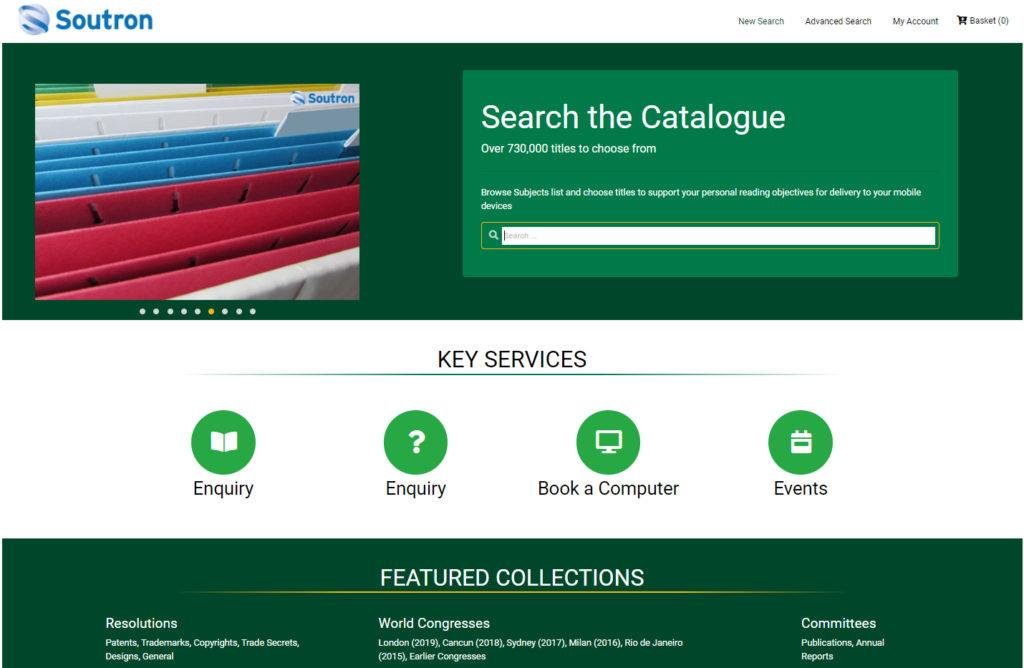
Soutron’s Search Portal technology for special libraries and archives is simple, fast, and mobile friendly. Because it is template driven, you control how results look and how users find what they need, and you present the library or archive in a way that strengthens its image.
✓ Start from eight standard themes, branded with your logo, colors, and fonts
✓ Edit portal pages, results, and record displays yourself with the template editor
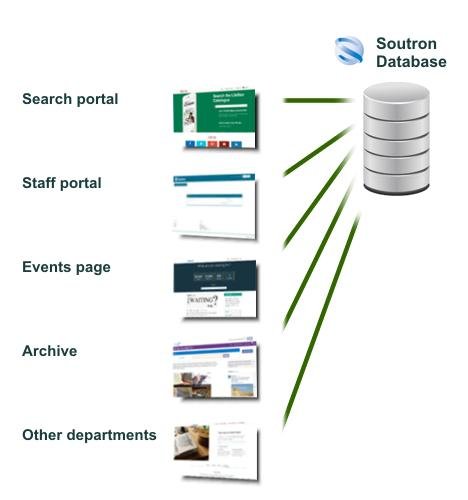
✓ Create separate portals for subjects, staff, image collections, or offices
For some organizations, the Search Portal is a public-facing site. For others, the audience sits inside the organization. A single portal works for many libraries and archives, and you can add more when different audiences need different content.
Give users, clients, and visitors a unique entry point, and promote your library and archive services alongside search.
Restrict access to support knowledge searches and customer inquiries.
Create a portal for a specialist subject area or collection.
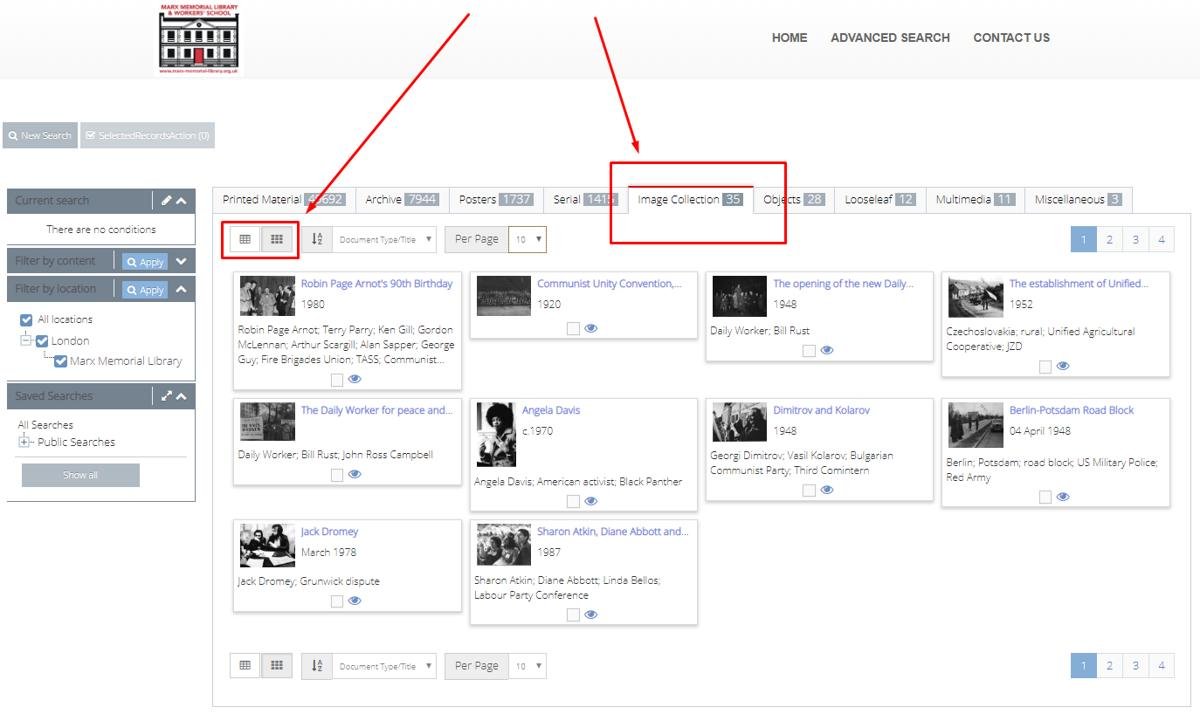
Present image collections with views users can switch between, such as grid and thumbnail.
Give each office or department its own branded portal to share knowledge and promote the services it provides.
A Search Portal is the shopfront for your information services, with broader ambitions than both the traditional OPAC and discovery services.
The traditional online public access catalog (OPAC) was designed for bibliographic data, with no need for security or controls over who can access it. Content now comes from more internal and external sources, and users have to go to different systems to find it.
Presented as a gateway, the Search Portal removes the need for users to log in to different systems, improves the user experience, and improves the quality of the results returned.
Pick one of eight standard themes during your initial system setup. We swap the Soutron logo for yours and change the colors, fonts, and background images to match your corporate branding.
→ Control layout and style, colors and fonts, and branding, graphics, and carousels
→ Combine elements from different themes
→ Create your own theme and portal design from scratch
The template editor controls the portal pages, the results page, and the full record display. Edit a template in WYSIWYG mode or in the built-in HTML5 editor. Your web team can apply the CSS styles already set for your website, so the portal integrates with it.
→ Control headers and footers, amend text, and change layout
→ Add content pages for specific subject areas or departments
→ Customize your navigation menu
Templates drive how brief results and full records display, so you can give brief details a different style of presentation from the grid display. Point users straight to the content you want to promote.
→ Let users switch views, such as grid, citation, or thumbnail
→ Add clickable images that run a search on part of your collection or a saved search
→ Show RSS displays of new content as it is added
Create a unique entry point for your users, clients, and visitors. My Account simplifies their access to your content and services.
→ Self-manage searches and renew loans
→ Set up RSS feeds and get the latest library and archive news and events
→ Build personal Collections and Reading Lists of resources to view later
Create portals for specialist subjects, secure portals with restricted access, image repositories, and portals for different offices. Each one shares your knowledge and promotes the services you provide, under its own branding.
→ No limit on the number of design themes in use at once
→ Choose from pre-designed themes, branded and applied within minutes
→ Every portal draws from the same Soutron database
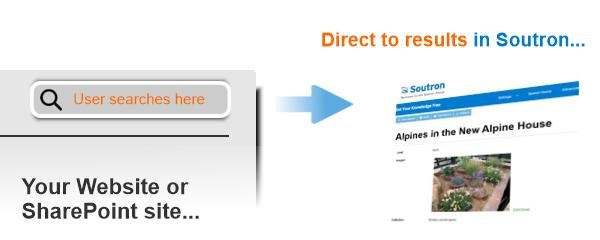
The search widget gives users direct access to the library and archive catalog from your organization’s website, intranet, or SharePoint, and takes them straight to results in Soutron.
→ Search from the pages users already visit
→ Users go directly to results in Soutron
→ Available through the API & Integrations add-on

Pre-designed themes, each with its own look, ready to brand.
Edit any template visually or in the built-in HTML5 editor.
Build a bespoke design that follows your website’s design rules.
Send users straight to part of the catalog, a record, or a saved search.
Add pages for specific subject areas or departments.
Users save the resources they find for later viewing.
HTML5 pages display according to the screen size.
Grid, citation, and thumbnail views users can switch between.
Feeds and links that promote new content, news, and events.
Upgrades keep your template settings and configuration in place.
Each theme can carry your logo, colors, fonts, and background images. Use one as it is, mix elements from several, or treat one as the starting point for a custom design.
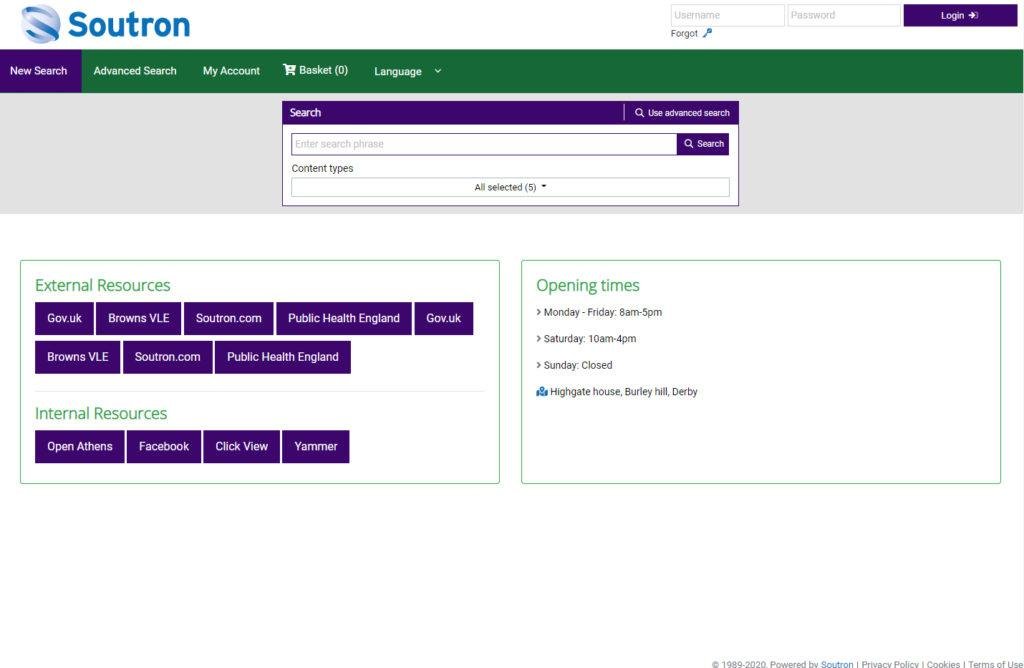
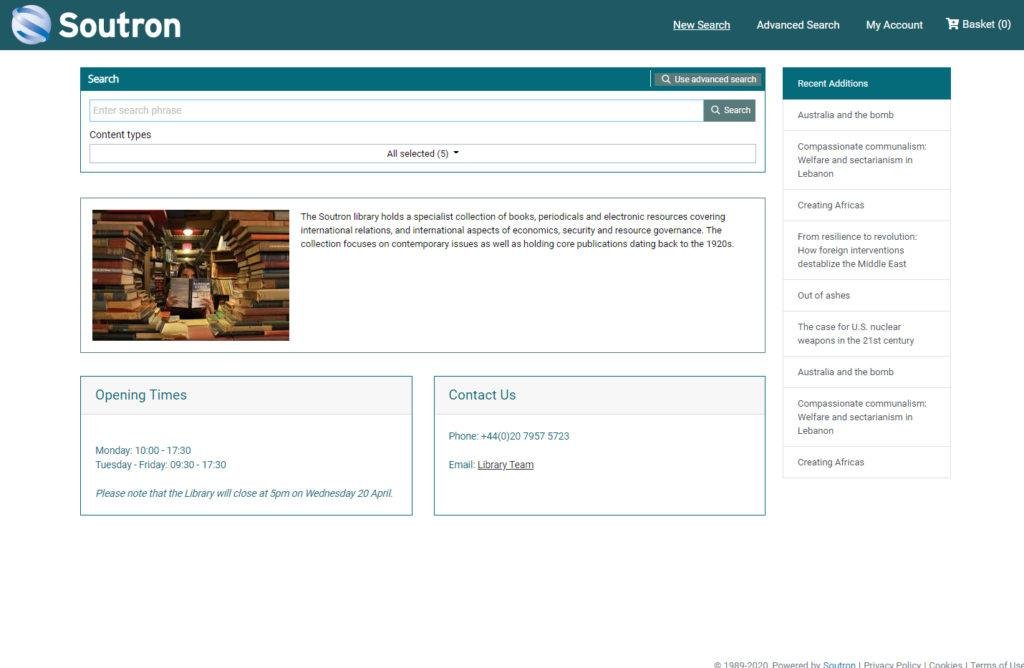
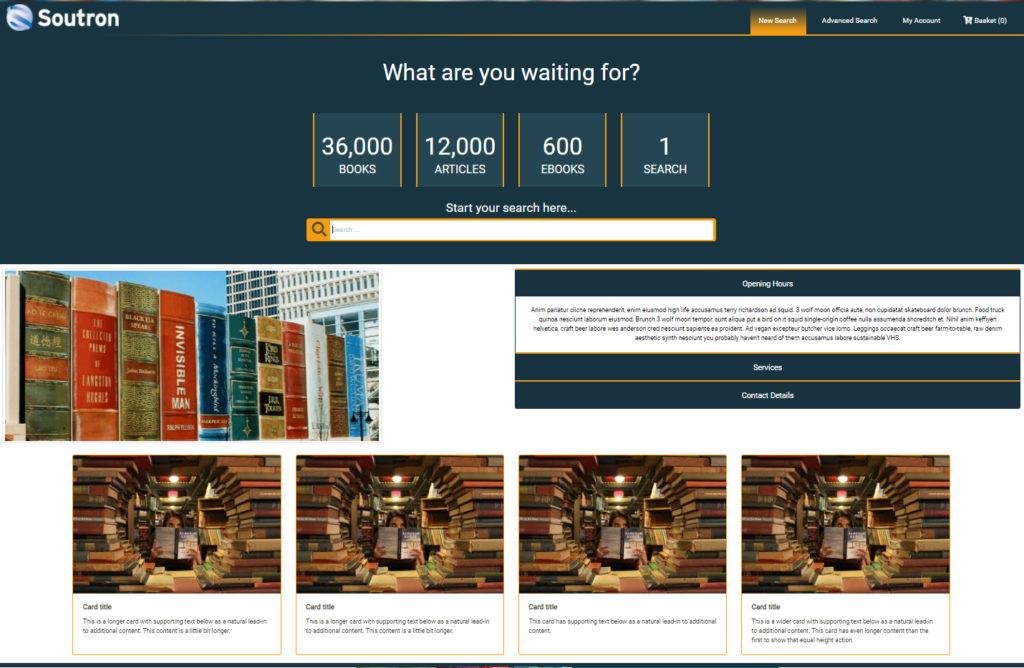
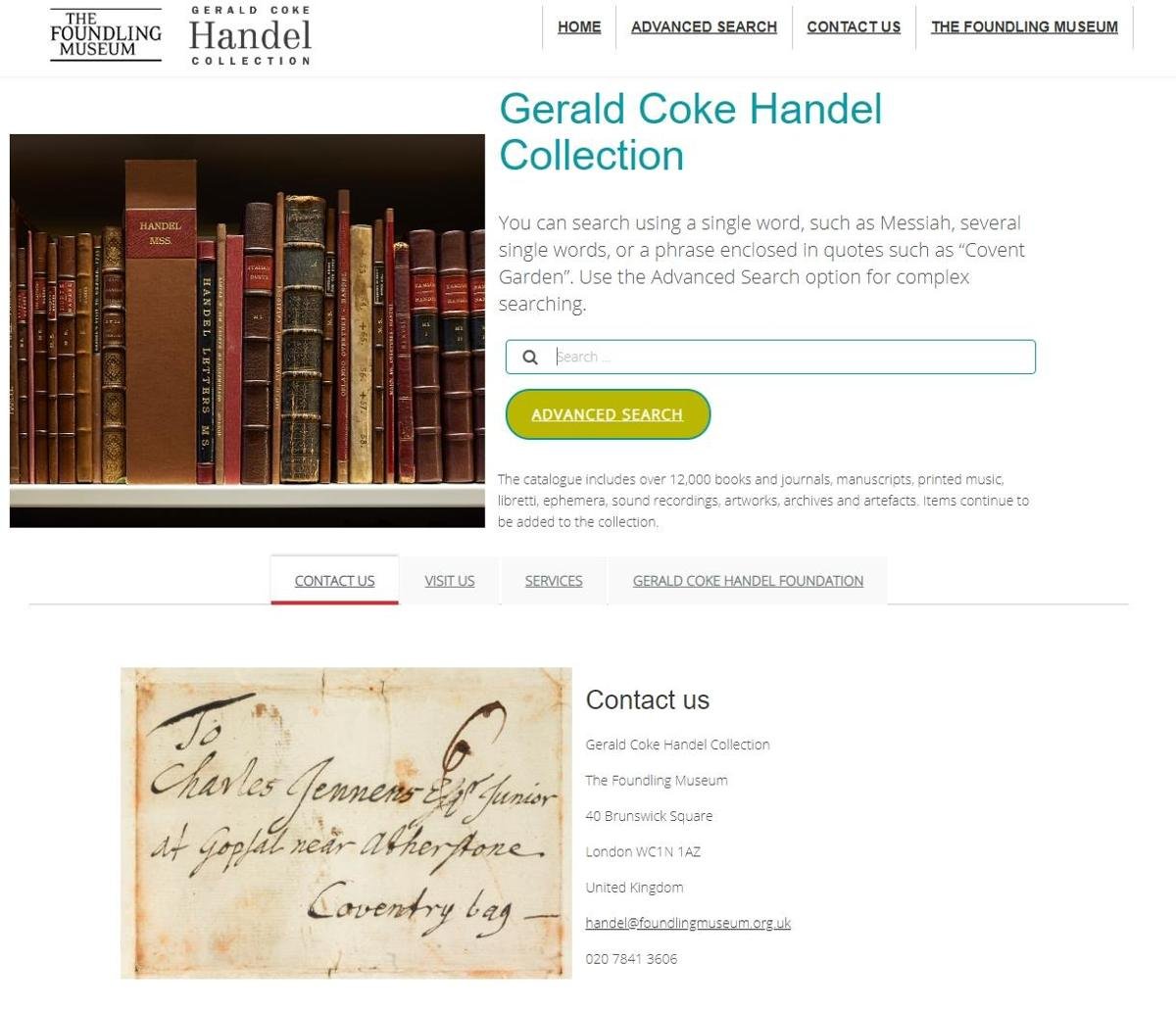
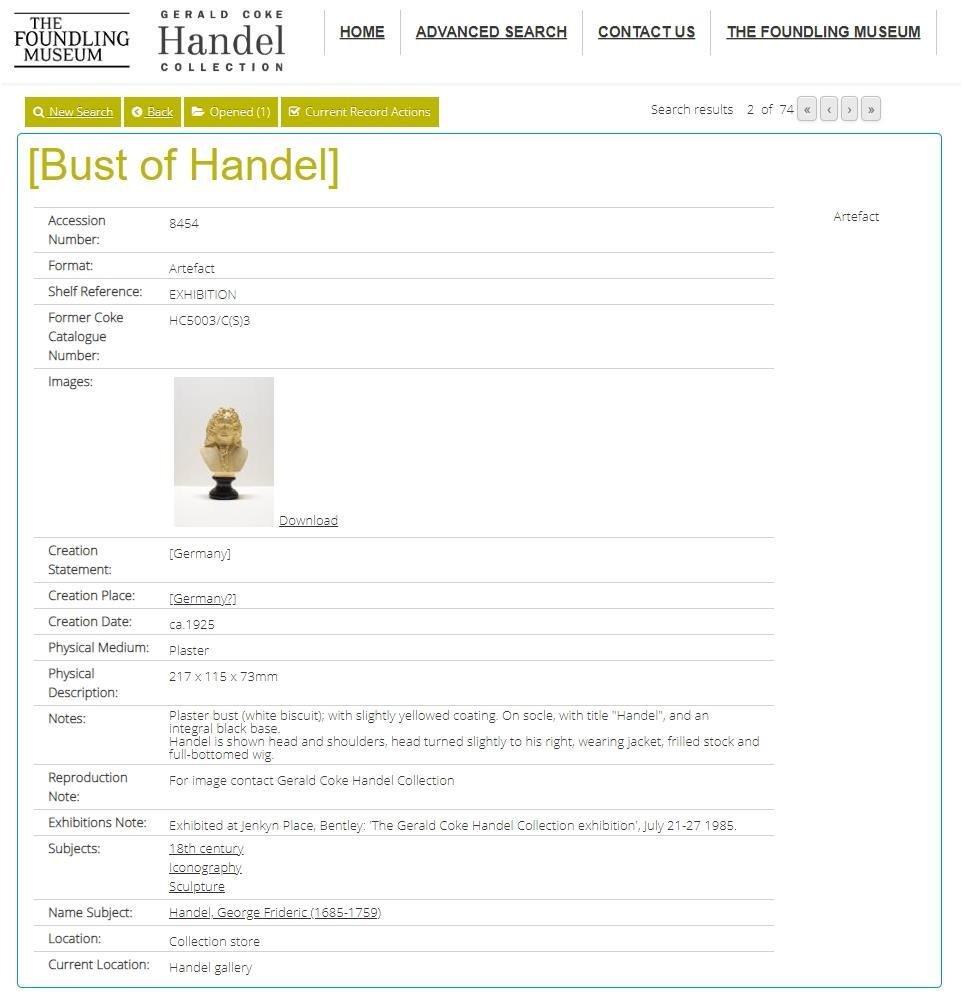
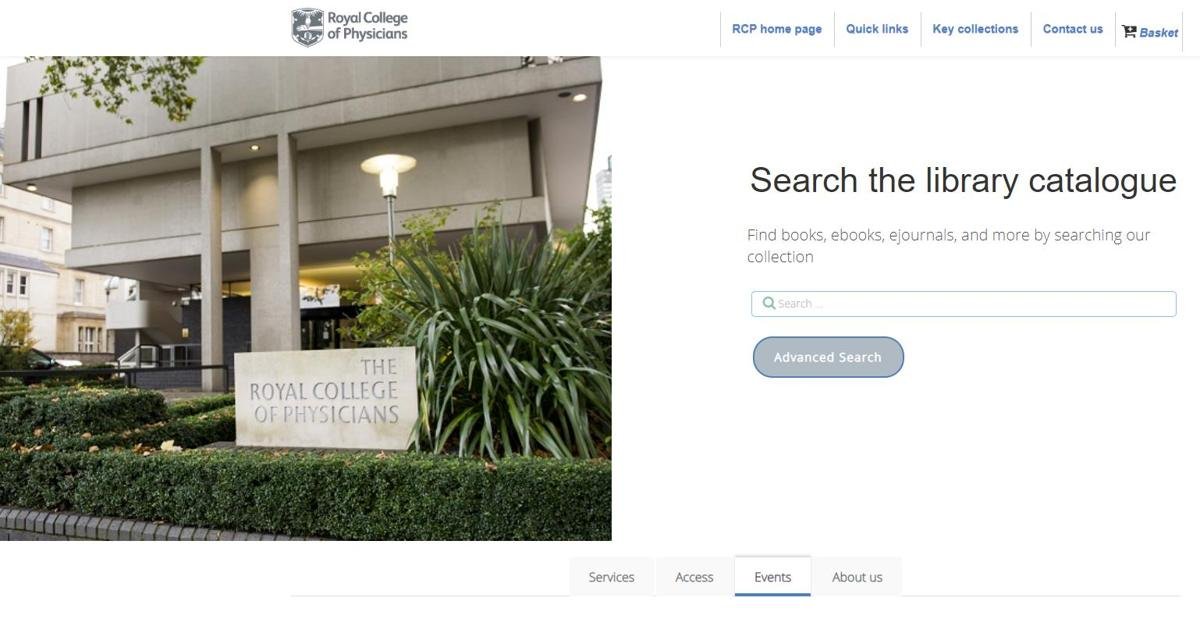
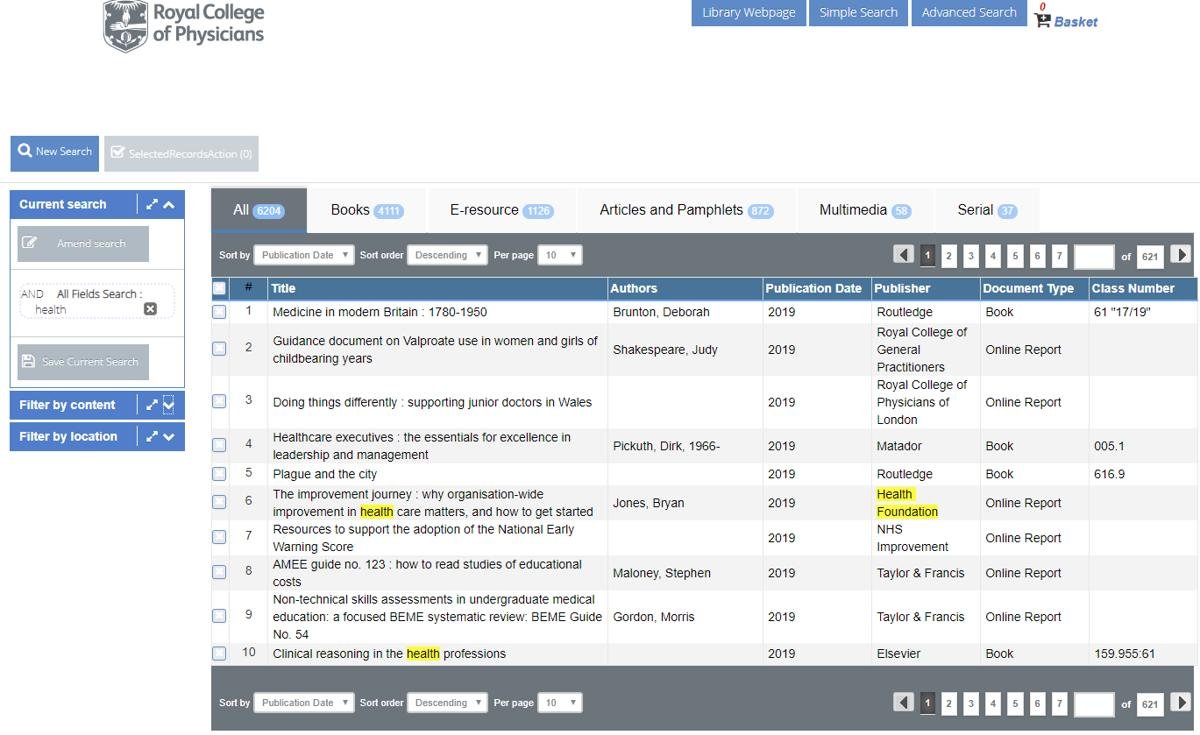
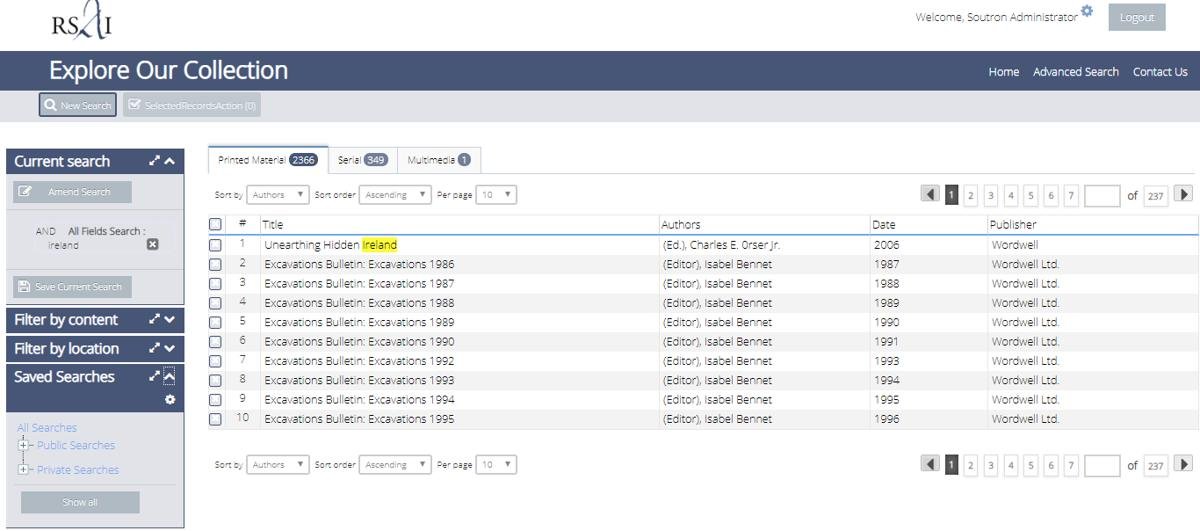
Compare start pages and search results from nine Soutron Search Portals, from branded themes to fully custom designs.
A start page for the Gerald Coke Handel Collection, with a full record view for an individual item.
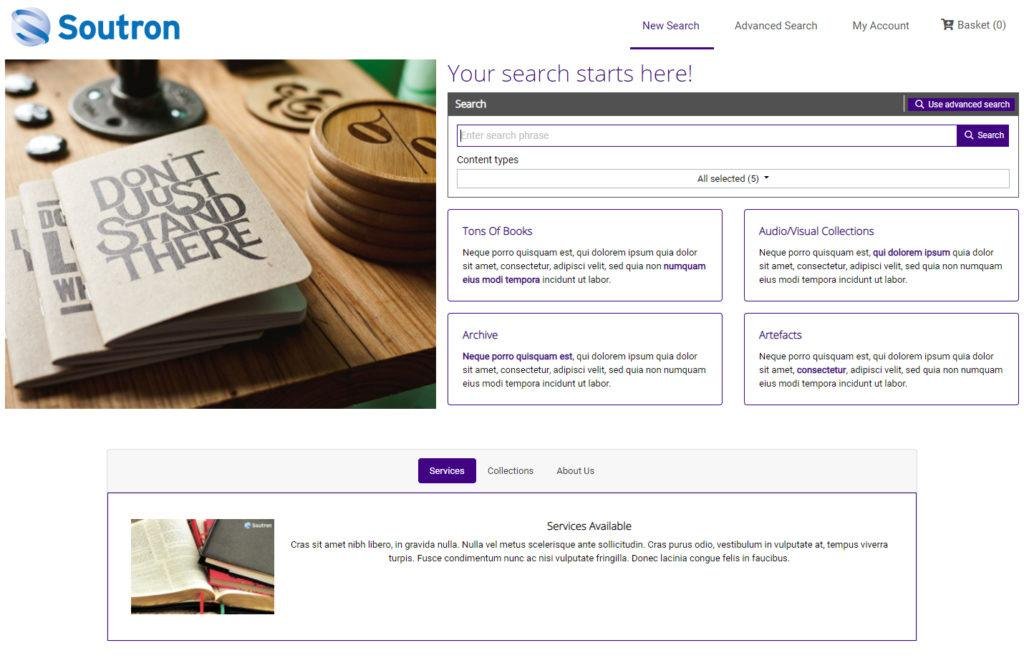
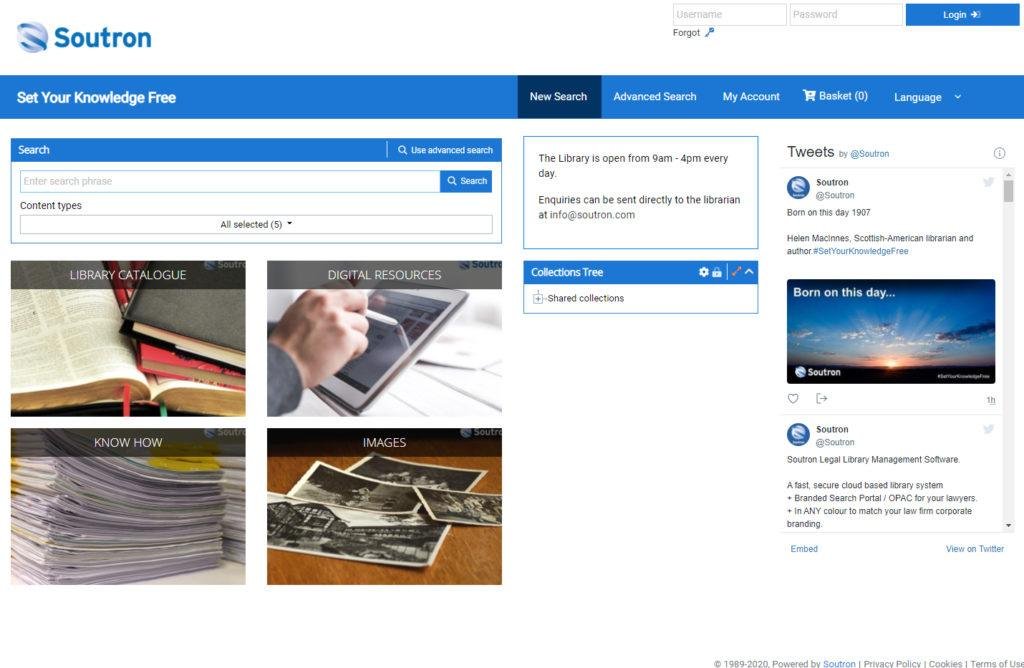
A start page with a single search box, and results organized in tabs by type of material.
The start page places search alongside search history, favorites, and recent additions.
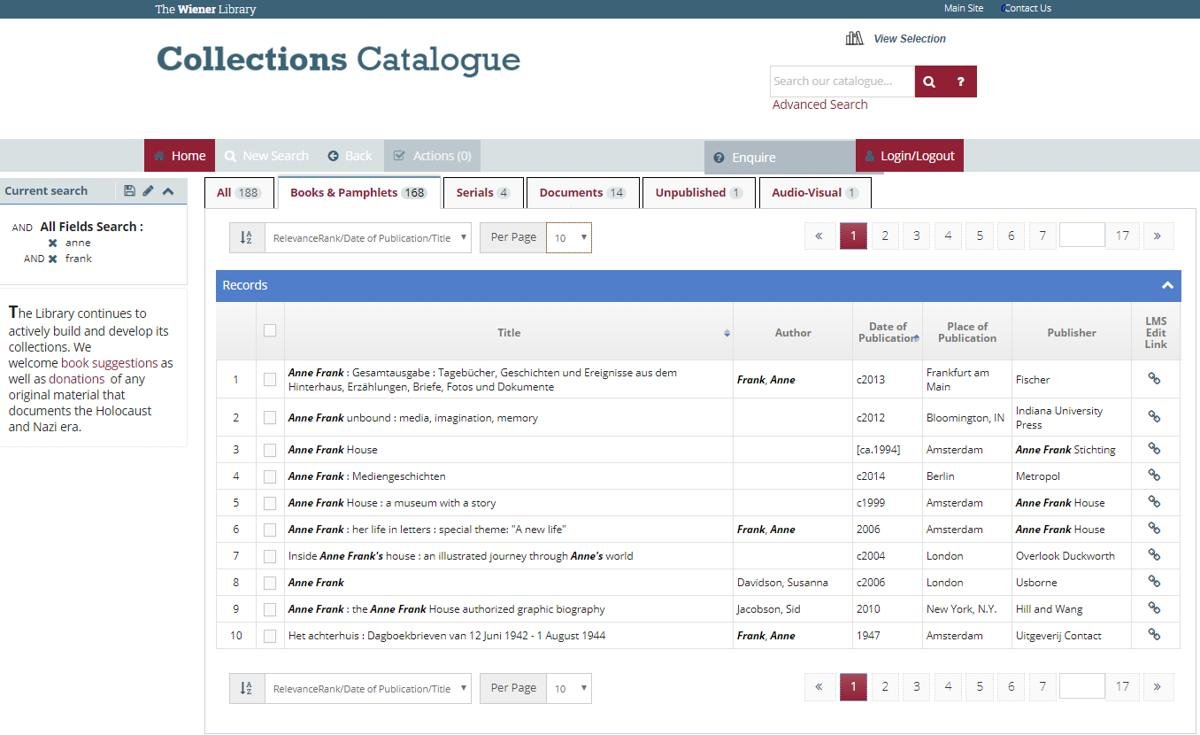
A Collections Catalogue with results organized in tabs by type of material.
Includes an Image Collection tab. Users can switch between grid and thumbnail views.
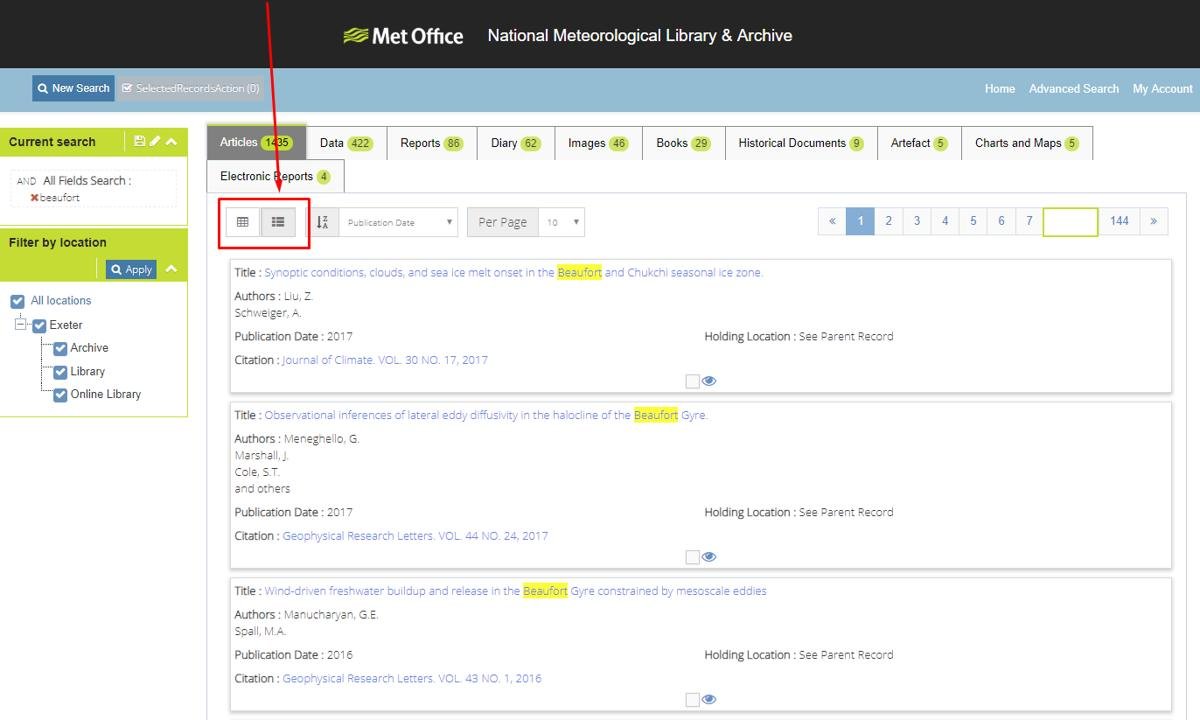
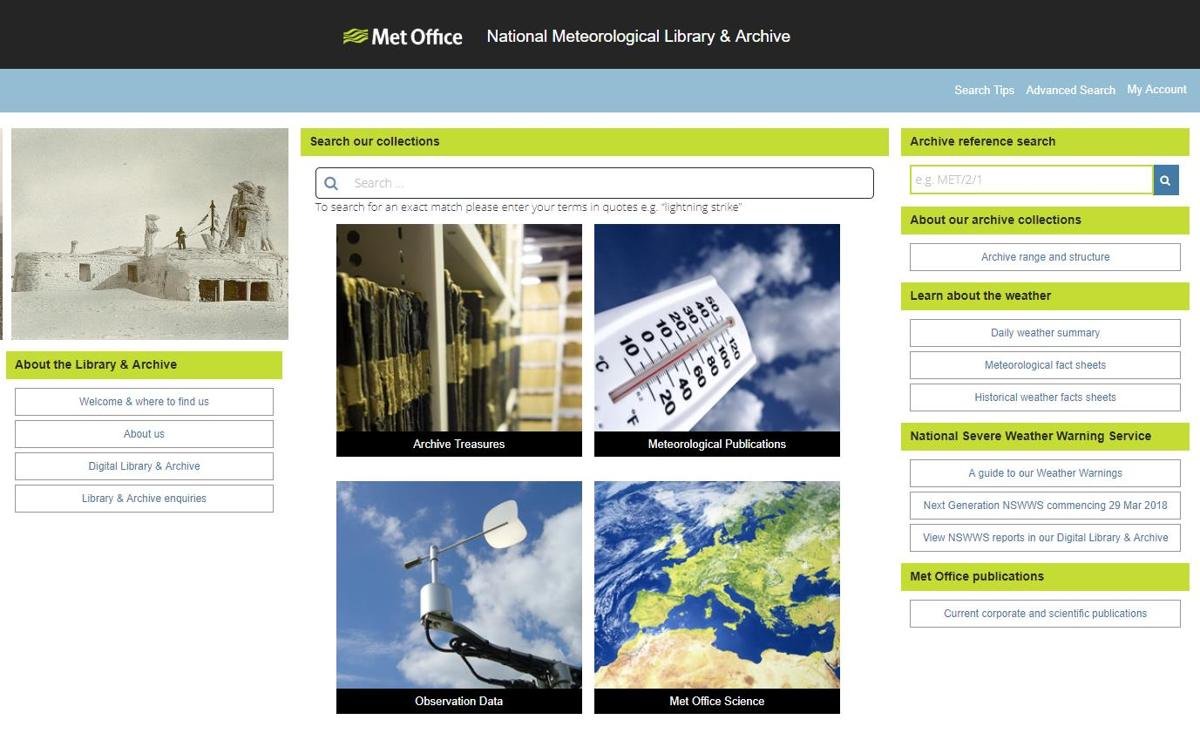
A National Meteorological Library & Archive portal. Users can switch between grid and citation views.
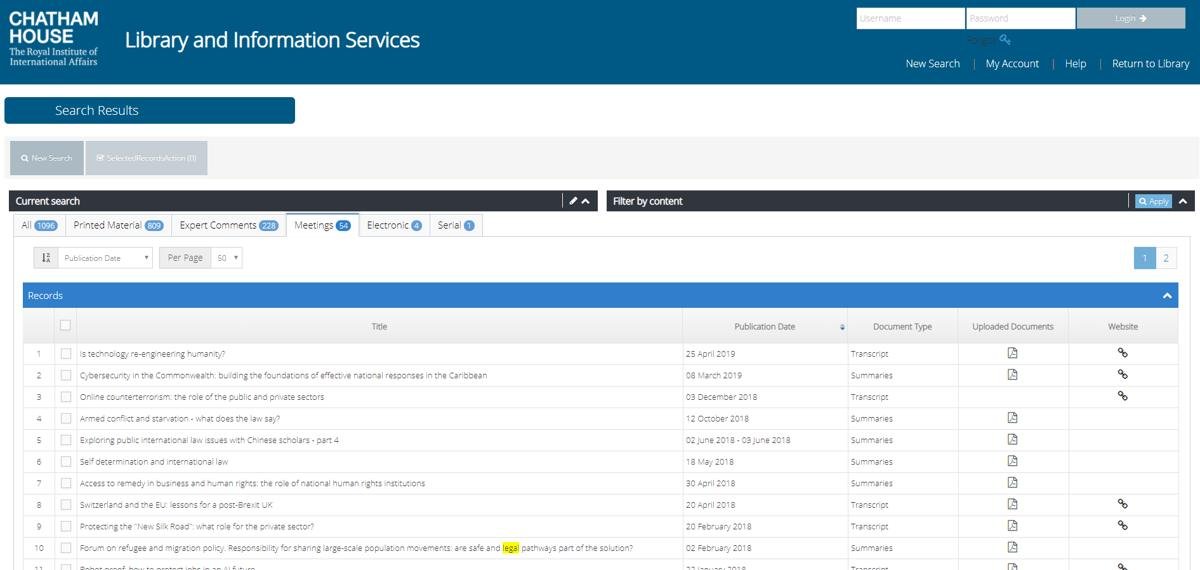
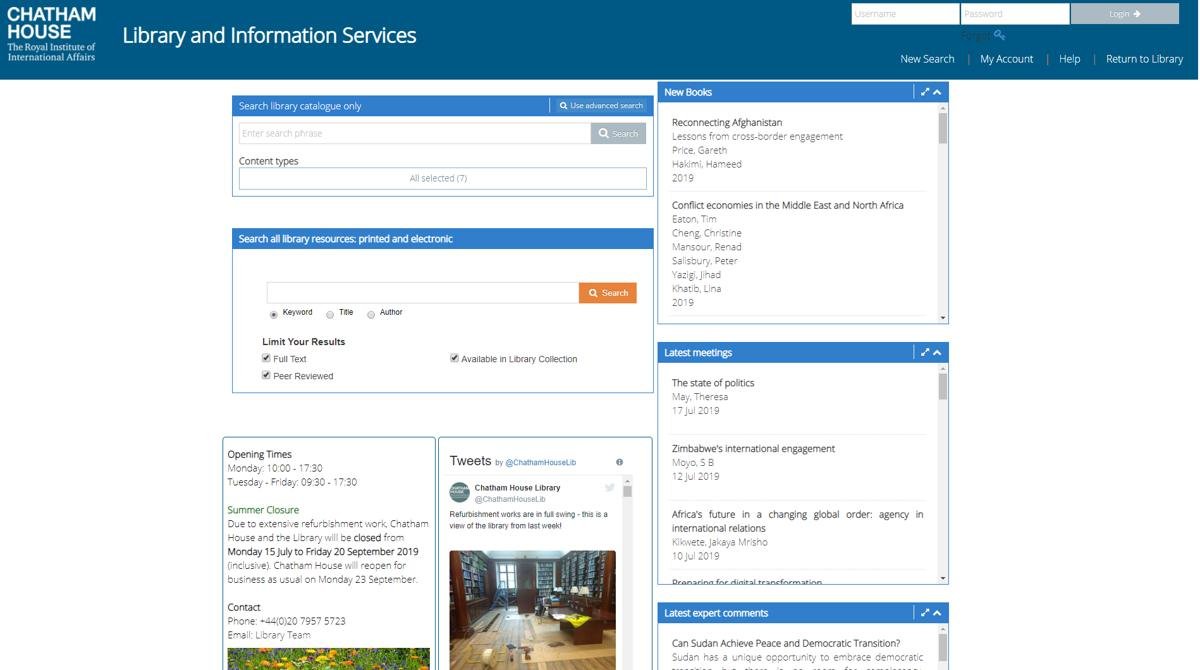
The start page uses RSS displays to show new content added for books, latest meetings, and expert comments. The grid view shows meeting documents with direct links to documents and websites.
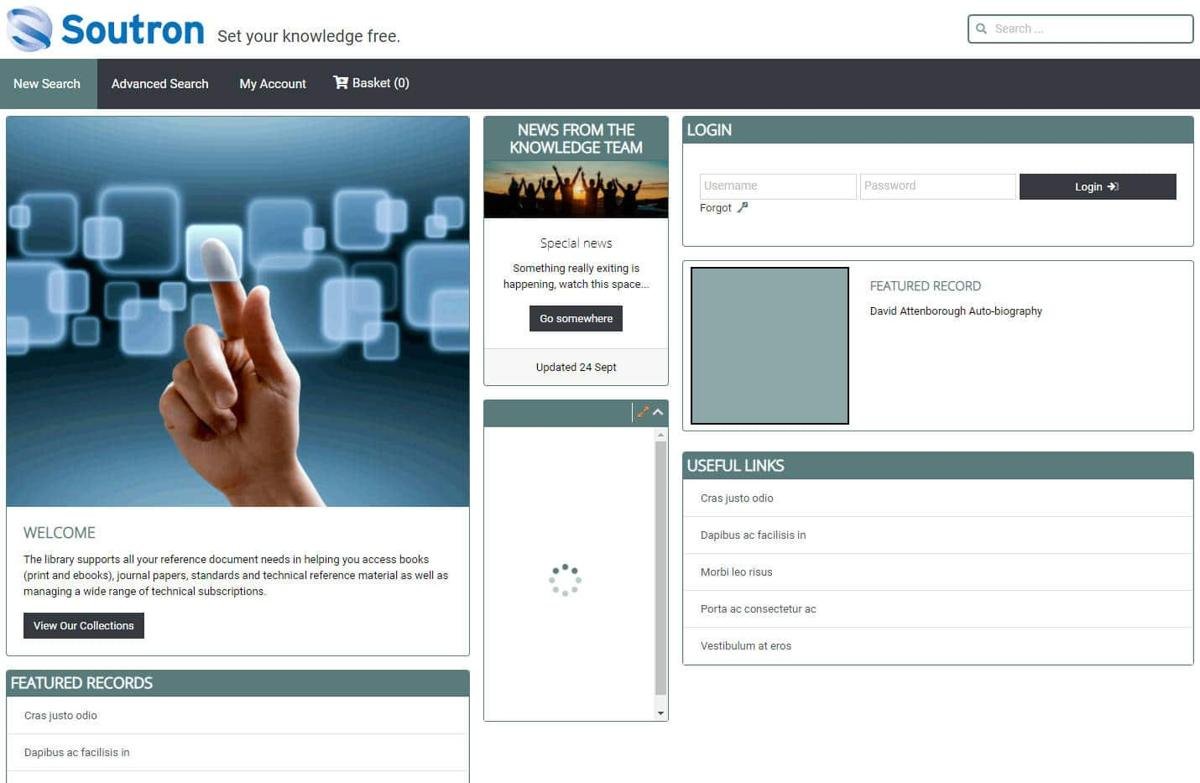
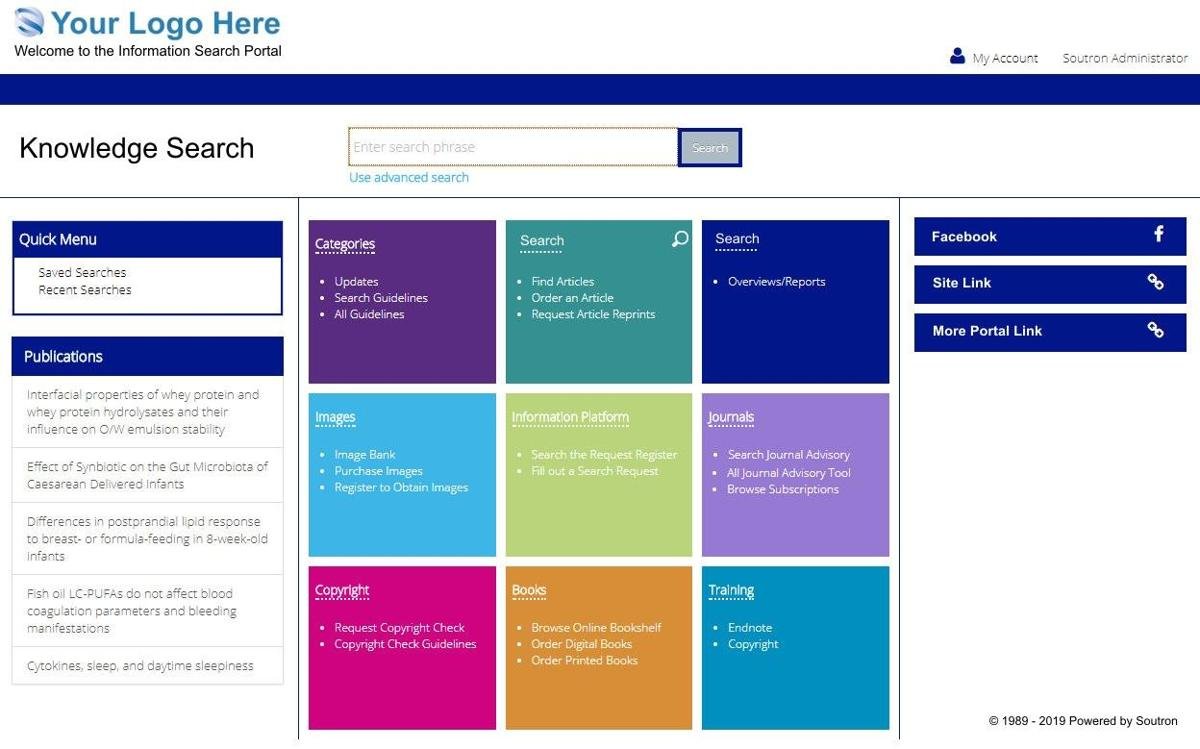
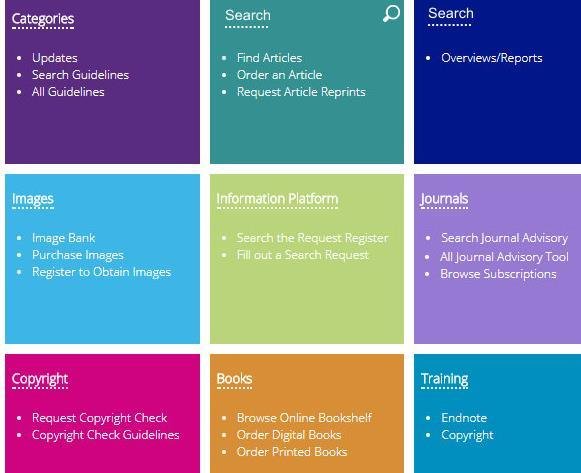
A bespoke design that gives researchers and employees in a large organization many sources of information in one place. Colors denote areas of interest, which helps users treat it as a single, central resource.
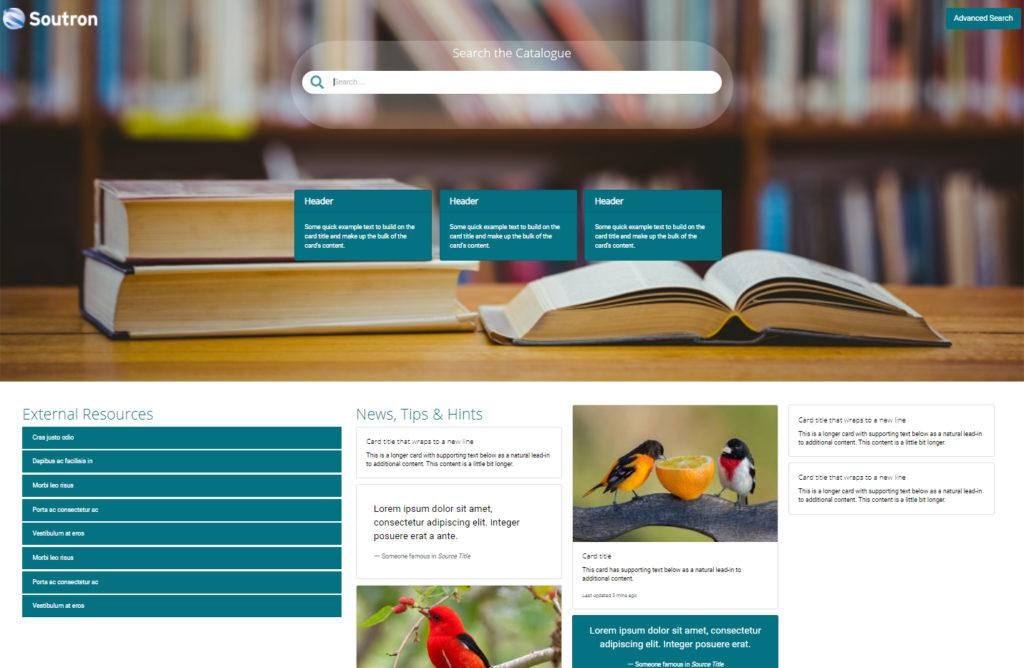
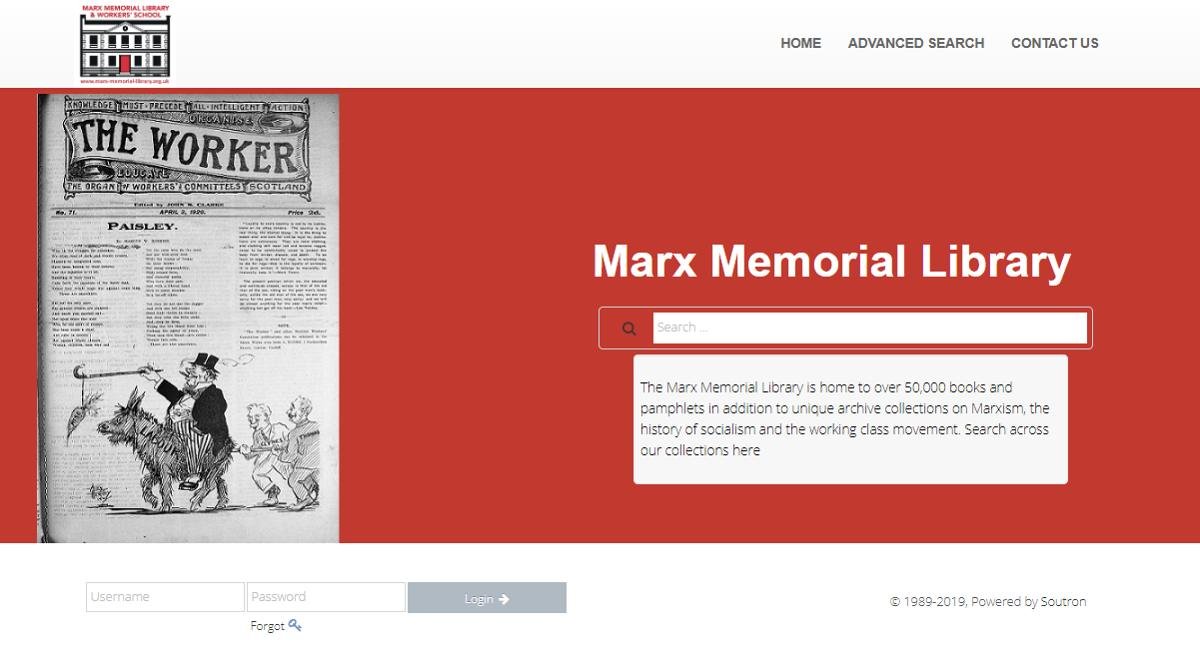
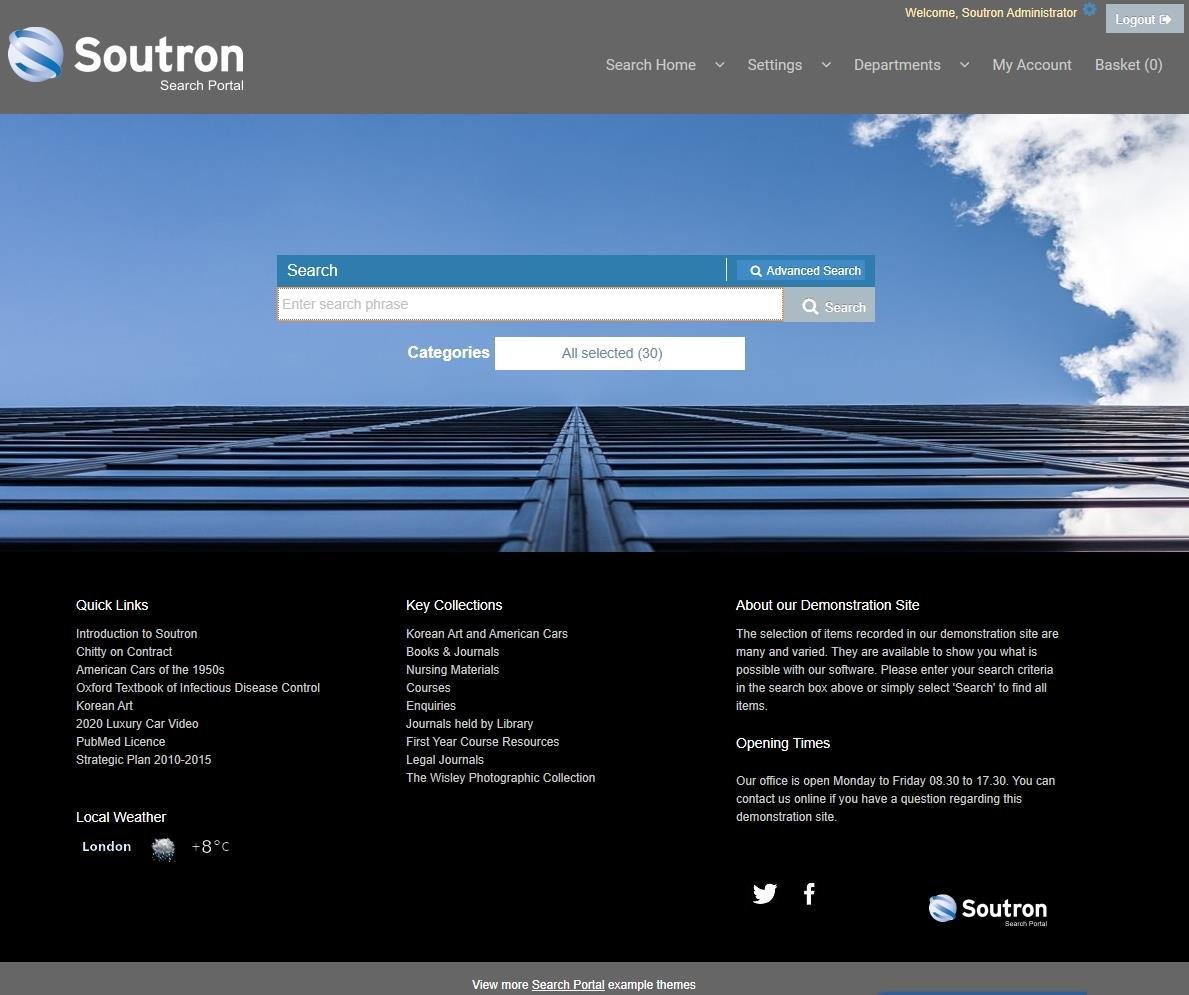
A bespoke minimal design with a clean, simple, Google-like search box at the center of the page. A large background image brands the page.
Soutron’s experience across several industry sectors points to four areas that need careful attention: analysis and planning, data, connectors, and simplicity.
Understand your users’ motivation. Build a matrix of users and user types to decide whether one homepage serves everyone or each group needs its own portal.
Metadata quality determines search success. Compare samples of metadata records with typical searches to reveal gaps or inaccuracies.
A connector translates a search into a syntax an external database understands and formats the results for display. Each one needs monitoring and maintenance.
The cleaner and simpler the portal, the better users perceive it. Test the words you use, since terms familiar to staff may not be familiar to users.
Offer simple and advanced search on separate pages, with an easy way to move between them. Add quick links to predefined searches.
Let users select or deselect terms to expand or narrow results without learning search syntax.
Decide between full and brief displays, and bring the most relevant content onto the first page or two.
Cut clutter and use white space so users find content on screen faster.
An HTML5 compliant portal displays content according to screen size for users on the move.
Show related records and connected content, which helps most where library, image, and archive material share one database.
Define your usage reporting early, so the portal’s metrics show how it should grow and be maintained.
You decide how much of the design work to own. Templates put day-to-day changes in your hands, and our team is there for the rest.
Change the design, layout, and content of your portal with templates, without involving Soutron staff.
Anyone with HTML5 and CSS skills can control, add to, and amend every aspect of the portal design.
Send us a design specification, or sites you like the look of, and we create the theme. Ask us for a quote.
Call the Soutron Help Desk whenever you need help or advice with your portal.
The questions we get the most, answered here first.
Yes. Select the template you want to change from the Administration Tools in System Administration, then edit it in WYSIWYG mode or in the built-in HTML5 editor. Anyone who knows HTML5 can change the template and its text.
Yes. Clickable images can point users to books, documents, records, parts of your catalog or collection, or a saved search you want to promote. Some knowledge of HTML gives the best results.
It depends on the extent of the change. CSS changes call for detailed CSS knowledge, and on Soutron hosting the CSS file is applied to the server by Soutron staff. We recommend a web expert in your organization, or Soutron staff, makes CSS changes.
There is no limit. You decide what your organization needs.
Yes. Copy HTML5 code between templates. A working knowledge of how HTML5 and CSS control page layout helps you get the effect you want.
Yes. Some clients want to keep the library or archive within the same design rules as their website. Someone with CSS and HTML5 skills can build it, or Soutron can create your bespoke theme as a chargeable service. Contact the Help Desk for a quote.
Before you change a template, use the Source button in the Template Editor to copy all of the HTML5 code into a text file. If something goes wrong, paste the code back into the template and save. Soutron does not keep backups of previous templates.
No. Upgrades retain every setting and configuration you have applied, so there is nothing to reset.
We’re here to help. Reach out to our team, and we’ll get back to you.
Request a demonstration and ask us to walk you through examples of how other organizations use the Search Portal.