Artemis School Library Software

K-12 School Library Management System

Artemis handles cataloging, circulation, reporting, and student engagement in one web-based system, for a single school library or every campus in a district. Rosters stay current on their own, reminders go out on your schedule, and your team spends its time with students instead of updating records.

✓ Student and staff records sync automatically from your school roster

✓ A picture-based Kids Catalog built for younger readers

✓ Textbooks and classroom assets check out alongside library books

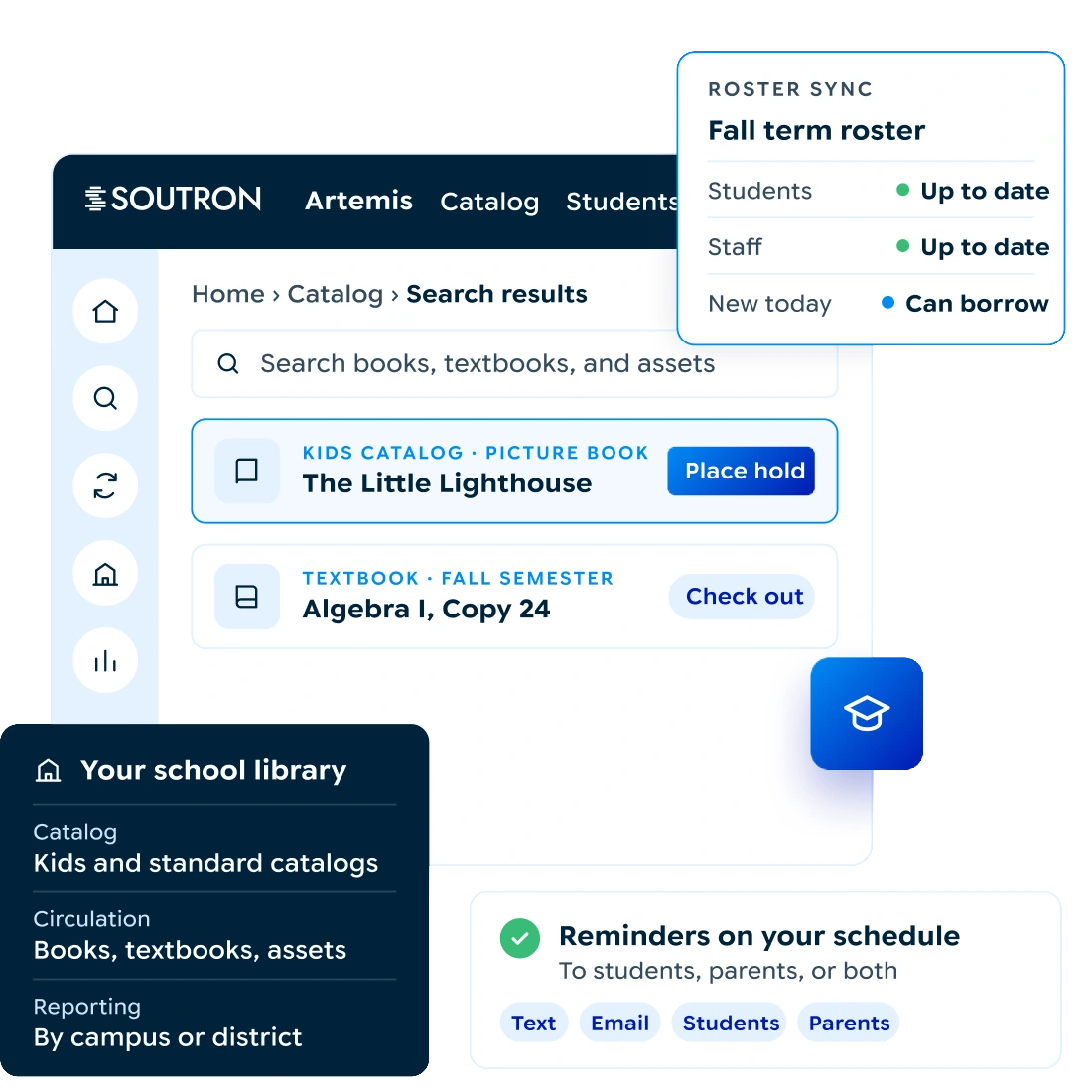
Artemis school library catalog search showing a Kids Catalog picture book and a fall semester textbook, with roster sync up to date
Trophy Icon

K-12

school library software for K-12 school libraries

Web-based SaaS school library system icon

SaaS

fully web-based, with automatic updates and minimal IT involvement

Multi-campus school library platform icon

Multi-Campus

one platform for every school library in a district

The school library software problem

A school librarian shouldn't spend the first week fixing roster & library alignment

Students enroll, transfer, and graduate. Textbooks go out in August and need to come back in May. In many school libraries, the system can’t keep up with any of this on its own, so the librarian does it with workarounds.

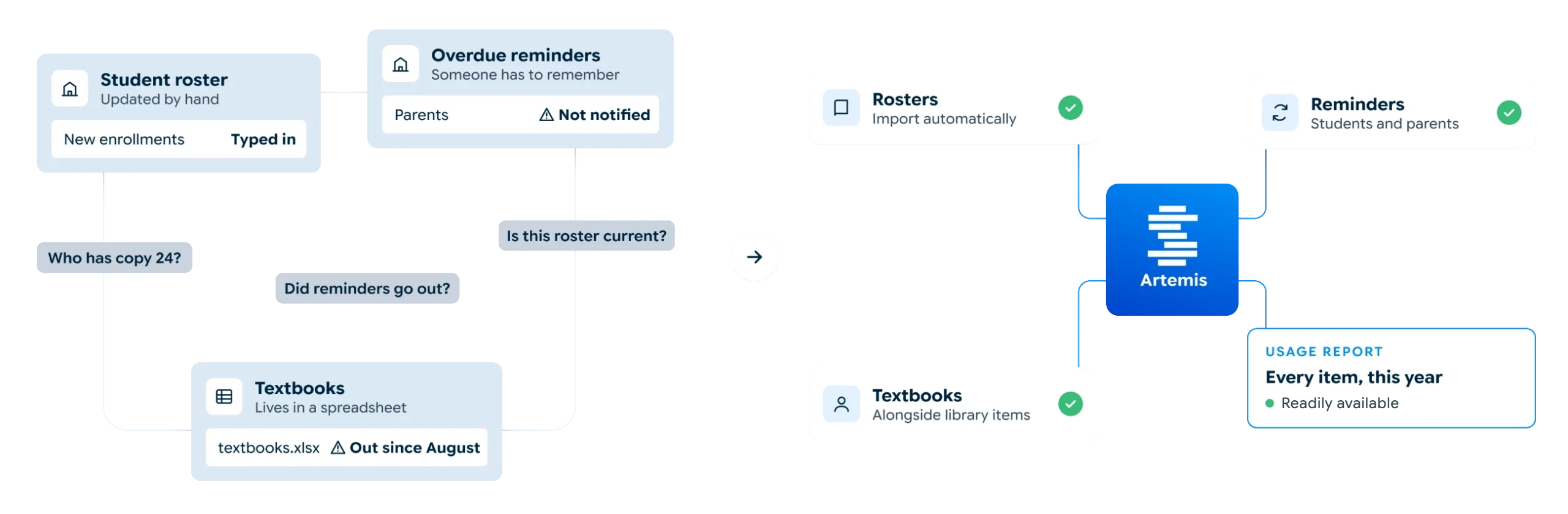
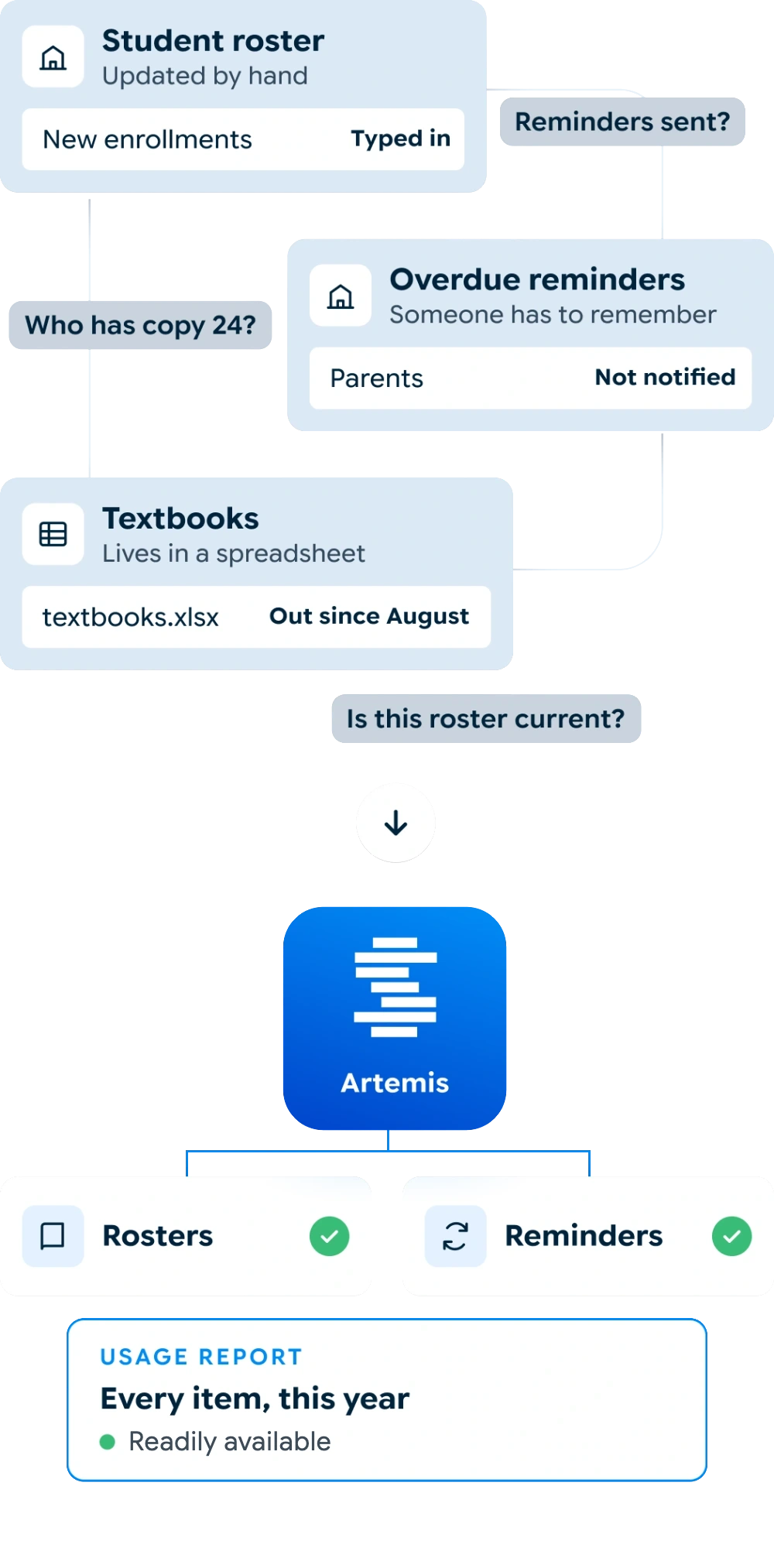
Hand-typed rosters, missed overdue reminders and textbooks in a spreadsheet replaced by Artemis handling rosters, reminders and textbooks in one system
Now

Rosters, reminders, and textbooks in three places

Student lists get updated by hand, reminders depend on someone remembering, and textbooks live in a spreadsheet.

With Artemis

One system that keeps itself current

Rosters import automatically, reminders go to students and parents on your schedule, and textbooks sit alongside library items.

Our core school library solutions

One school library management system for
everything your school runs on

Artemis gives school libraries the same tools public libraries rely on, set up for how schools run. There are no servers to maintain and no upgrades to schedule.

Rosters & Records

Your roster changes. Your library keeps up.

Once roster integration is set up, student and staff information flows into Artemis automatically, with no manual data entry.

→ The library database reflects the latest roster changes, so new students can borrow from day one.

→ Fewer manual updates mean fewer data entry errors at the circulation desk.

→ Overdue reminders go out by text, email, or both, to students, parents, or both, at the timing you set.

Artemis student roster auto-synced from the school roster, with new enrolments and transfers ready to borrow from day one
Student Discovery

A catalog young readers can use on their own

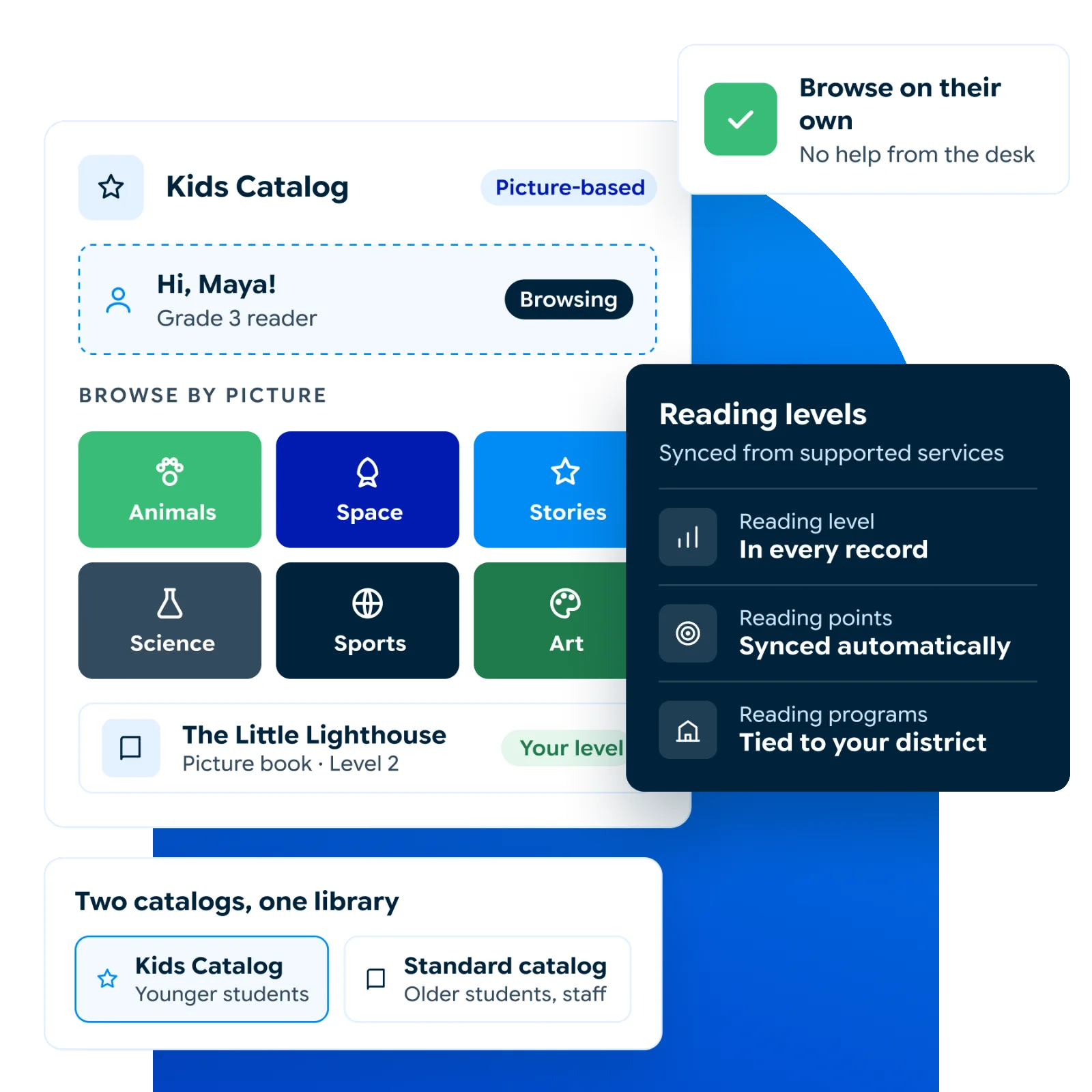
Artemis includes a dedicated Kids Catalog for younger students, alongside the standard catalog older students and staff use.

→ A colorful, picture-based interface helps young readers browse on their own.

→ Supported reading level services sync levels and points into the catalog automatically.

→ Students and teachers find books that match each reader’s interests and reading level.

Artemis Kids Catalog with picture-based browsing by subject and reading levels synced into every record
Textbooks & Assets

Textbooks check out like everything else

Textbooks and other educational assets move through the same checkout and return process as library books.

→ Items check out to students and staff by semester or any other period you set.

→ Every item’s status and due date are visible, and usage reports show where assets are.

→ Clear tracking reduces the number of lost or overdue items at the end of the school year.

Artemis textbook and asset checkout showing copies, classroom laptop and science kit with due dates and loan periods
Running the District

Oversight for the district, control for each campus

Artemis manages multiple school libraries within a district on one platform, whether the district has a few schools or many.

→ Each campus manages its own settings, inventory, circulation, and reports.

→ District staff get a consistent view across every campus.

→ Shared infrastructure makes resource sharing and communication between school libraries simpler.

Artemis district view with Northside Elementary, Lincoln Middle School and Central High School, each campus managing its own library
FlexShare

Share collections with the libraries you choose

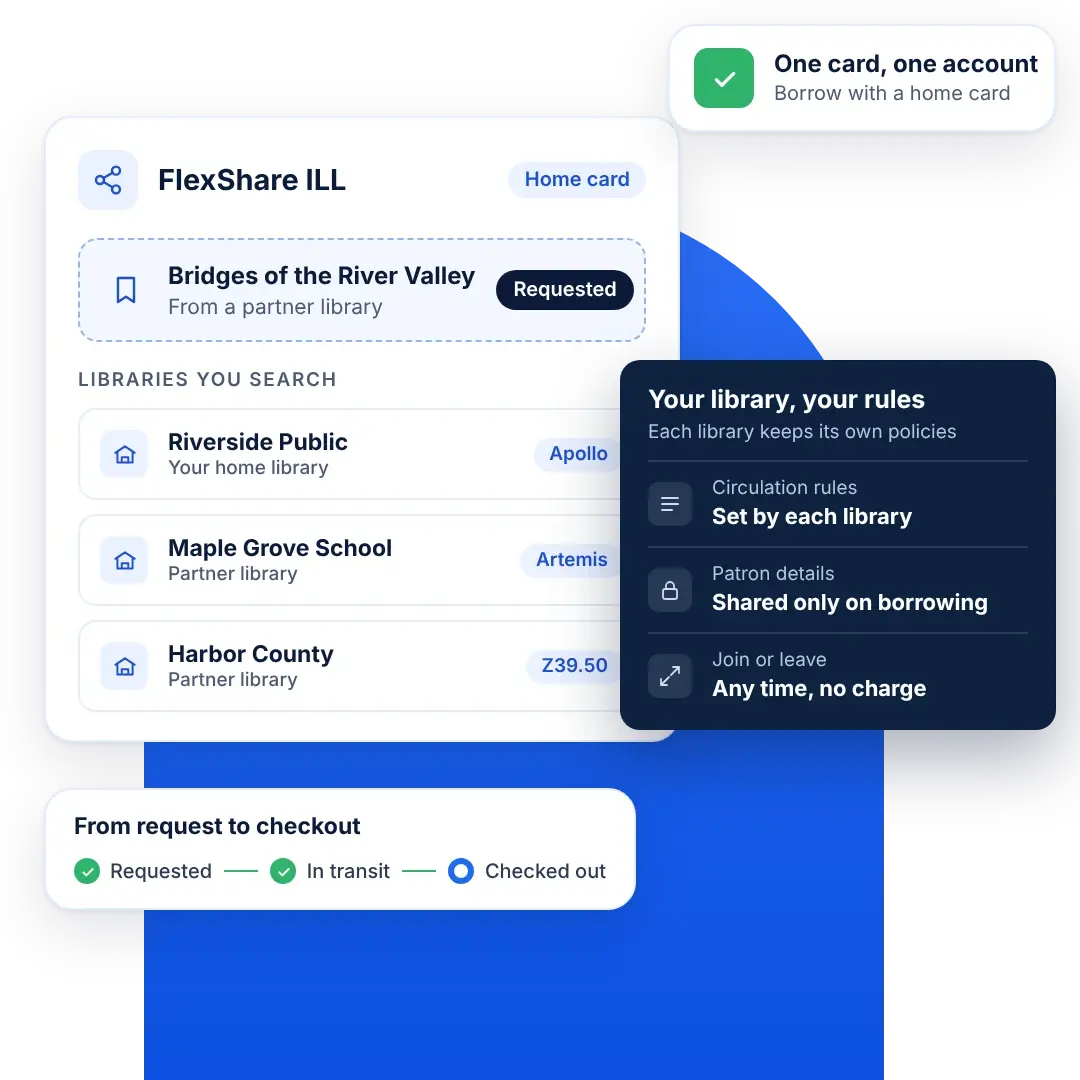
Patrons borrow from other participating public or school libraries with their home library card, while each library keeps its own circulation rules and policies.

→ FlexShare interlibrary loan is available with Apollo and Artemis for sharing with public and school libraries.

→ Join or leave at any time, with no charge and no change to your data.

→ Other libraries can’t see a patron’s personal information until that patron borrows from them.

FlexShare ILL request from a partner library on a home card, with each library keeping its own circulation rules and request tracked to checkout
Auto-Graphics Marcit

High-quality MARC records for any library system

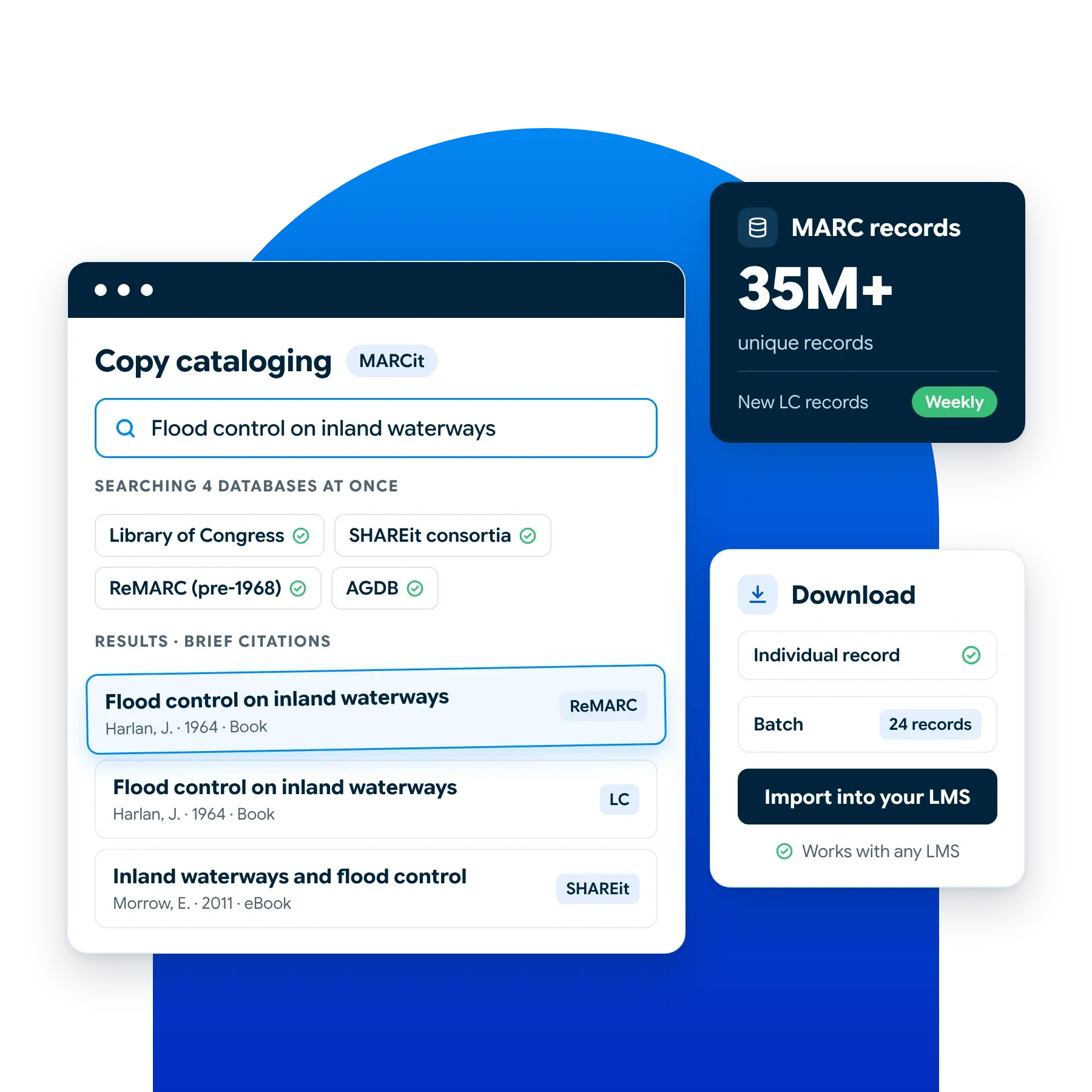
Access over 35 million unique MARC records, updated weekly with new records from the Library of Congress and other verified sources. MarcIt works with any LMS, so you can cut copy cataloging costs, reduce reliance on expensive book vendor records and free up staff time.

→ Records from LC, ShareIt consortia, ReMARC (pre-1968), and AGDB public library databases.

→ Search an unlimited number of databases at once and compare results with brief citations.

→ Export records individually or in batches, ready to import into your LMS.
Marcit copy cataloging searching Library of Congress, Shareit consortia, ReMARC and AGDB at once, with batch download into any LMS
Top features

All the tools you expect from a school library management system and more

Automatic roster integration icon

Automatic Roster Integration

Student and staff records import directly from your school roster and stay current as it changes, with no manual entry and no start-of-term cleanup.

Kids Catalog icon

Kids Catalog

A vibrant, picture-based catalog built for younger students, so early readers can browse and discover books without help from the desk.

Parent and student notifications icon

Parent & Student Notifications

You control how and when overdue reminders go out, by text or email, and whether they reach students, parents, or both.

Reading level integration icon

Reading Level Integration

Supported reading level services sync reading levels and reading points into your catalog, which ties the collection to your district’s reading programs.

Textbook and asset management icon

Textbook & Asset Management

Textbooks and classroom assets check out by semester or custom period, with status tracking and usage reports for every item.

Always current, minimal IT icon

Always Current, Minimal IT

Artemis is web-based. Updates, upgrades, and security enhancements apply automatically, so your IT team has little to install or patch.

Add-ons

Extend Artemis when you need to

Two-way patron text messaging icon
Patron texting

Gabbie® 2-Way Texting

Students and parents can reply to their library notices by text, so a reminder can turn into a quick conversation with staff.

FlexShare community resource sharing icon
Public and school sharing

FlexShare™ Community

Share collections with Artemis school libraries and Apollo public libraries in your community. Students can borrow from the public library’s collection without an account, and there’s no added cost to participate.

Support and onboarding

Get a partnership, not just a platform

Get implementation, training, and everyday support with every system, plus a world-class support team ready when you need help.

Clock icon

Global Help Desk

Get around-the-clock coverage Monday to Friday, with a four-hour response commitment and most tickets answered in 20 to 30 minutes.

Person icon

Support Group

Connect with the team and other customers using the same modules. Hear about updates first, share what works, and shape what’s next.

Hand holding a heart icon

Fully Managed

Hand implementation to a delivery team that runs it end to end, from data migration to portal design. We do the heavy lifting so you get up and running quickly. 

Support headset icon

Training Built In

Train hands-on with every implementation.

Get onboarded with confidence

1

Kick-Off

2

Portal Design

3

Data Mapping & Migration

4

Hands-On Training

5

Hypercare

6

Ongoing Support

FAQs

The questions we get the most, answered here first.

What's the difference between Artemis and Apollo?

Apollo is built for public libraries, and Artemis is built for K-12 school libraries. Artemis adds tools that schools need: roster integration, a Kids Catalog, reading level integration, and textbook and asset management.

Both. A single school library can run Artemis on its own. A district can run every campus on one platform, while each campus still manages its own settings, inventory, circulation, and reports.

Through automatic roster integration. Once it’s set up, student and staff information imports directly from your campus roster system and stays current as the roster changes.

Yes. You choose whether reminders go to students, parents, or both, and whether they go by text, email, or both.

Yes. Textbooks and other educational assets check out to students and staff by semester or any period you set, with status tracking and usage reports for every item.

Artemis integrates with several reading-level services such as Lexile, Accelerated Reader, and more, syncing reading levels and reading points into your catalog automatically. Book a call to confirm whether your district’s service is supported.

Very little. Artemis is web-based software as a service, and updates, upgrades, and security enhancements apply automatically.

Yes, through FlexShare Community. Artemis school libraries and Apollo public libraries can share collections. Students don’t need a public library account, and student privacy stays protected.

Still have questions?

We’re here to help. Reach out to our team, and we’ll get back to you ASAP.

Customer testimonials

ipas-logo
★★★★★
“With the new automated Soutron capabilities, my output has more than doubled.”
Allison Campbell
lucideon-logo
★★★★★
“Soutron has been a brilliant, massive step forward for us and is now central to everything we do in the library.”
Caroline Mullington
national-association-of-realtors-logo
★★★★★
“The way that we were able to categorize everything from the archives in Soutron and display the search results was the major selling point.”
Abby Shaw
george-c-marshall-foundation-logo
★★★★★
“I wanted a simple search box, and am delighted that the result is clean, not complicated to use, and single search delivers results containing both library and archive materials.”
Melissa Davis
chatham-house-logo
★★★★★
“Since bringing Soutron onboard, the software has saved our library team huge amounts of time.”
David Bates

Customer testimonials

★★★★★

“With the new automated Soutron capabilities, my output has more than doubled.”

Ipas

★★★★★

“Soutron has been a brilliant massive step forward for us and is now central to everything we do in the library.”

Lucideon

★★★★★

“I find it so much easier to use than any other ILS that I’ve used. It makes sense, it’s more dynamic and its ease of use is great.”

National Association of REALTORS®

★★★★★

“I like how Soutron listens and services our small special library and archive.”

George C. Marshall Foundation

★★★★★

“Since bringing Soutron onboard, the software has saved our library team huge amounts of time.”

Chatham House