Trusted Digital Repository

Preserve your digital files. Keep your collection intact

Trusted Digital Repository (TDR) is an OAIS-aligned digital preservation software add-on for any Soutron-family product. It validates, monitors, and migrates born-digital and digitized files, so they stay authentic, readable, and legally admissible long after the format that created them is gone.

✓ Damage detection fixity checks catch damaged files long before anyone is prevented from accessing them

✓ Web-ready formats of preserved digital images can be linked to Online Public Access Catalogs (OPAC) / Search Portals.

✓ Print-ready formats can also be generated and stored

✓ An audit trail that holds up if a record’s authenticity is ever questioned

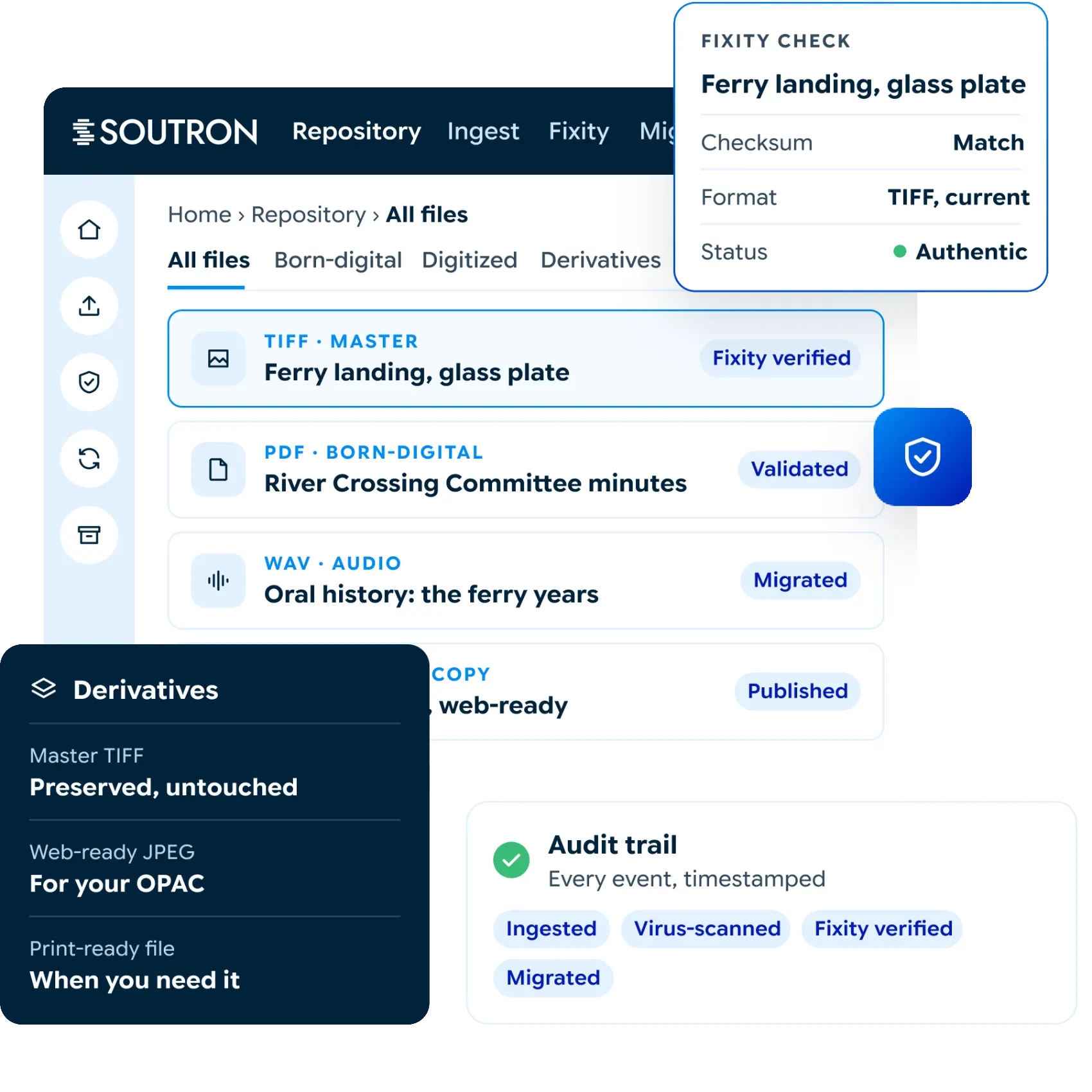
Soutron repository listing a master TIFF, born-digital PDF and audio file with fixity verified, derivatives generated and a timestamped audit trail
Trophy Icon
Reduce Risk

overcome format obsolescence

43,000 researcher requests icon
Fixity Checks

reduces media damaged

Health icon
0 breaches

on record

Database icon
OAIS

aligned with digital preservation standards

Built to scale

Built for institutions with something worth keeping intact

History museums icon

Cultural & Historical

Trusted Digital Repository packages and migrates digitized heritage to the OAIS standard, so it stays viewable long after today’s hardware retires.

Research and academic collections icon

Research & Academic

Trusted Digital Repository automated digital preservation strategies include file format conversion, checksum validation, and metadata management, so decades-old research data and images stay usable for the long haul.

Legal and compliance records icon

Legal & Compliance

Every legal record gets a timestamp on ingest, so it still counts as admissible evidence years later.

Corporate knowledge icon

Corporate Knowledge

Every file is virus-scanned and bit-rot checked on ingest, so brand history and IP can’t quietly corrupt or vanish.

The Problem

Storage keeps a copy.
Digital preservation software keeps it usable.

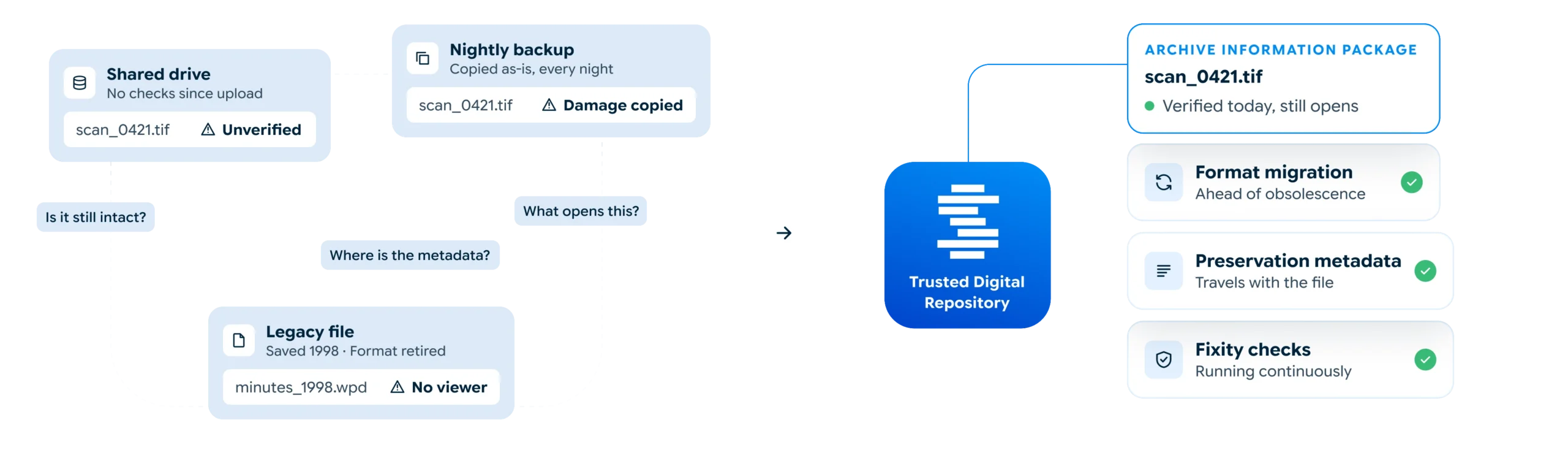
A hard drive doesn’t distinguish between a file that’s fine and one that’s already started to fail. Without active monitoring, format migration, and integrity checks, born-digital and digitized material degrades quietly, and the first sign of trouble is usually a researcher who can’t open what you accessioned.

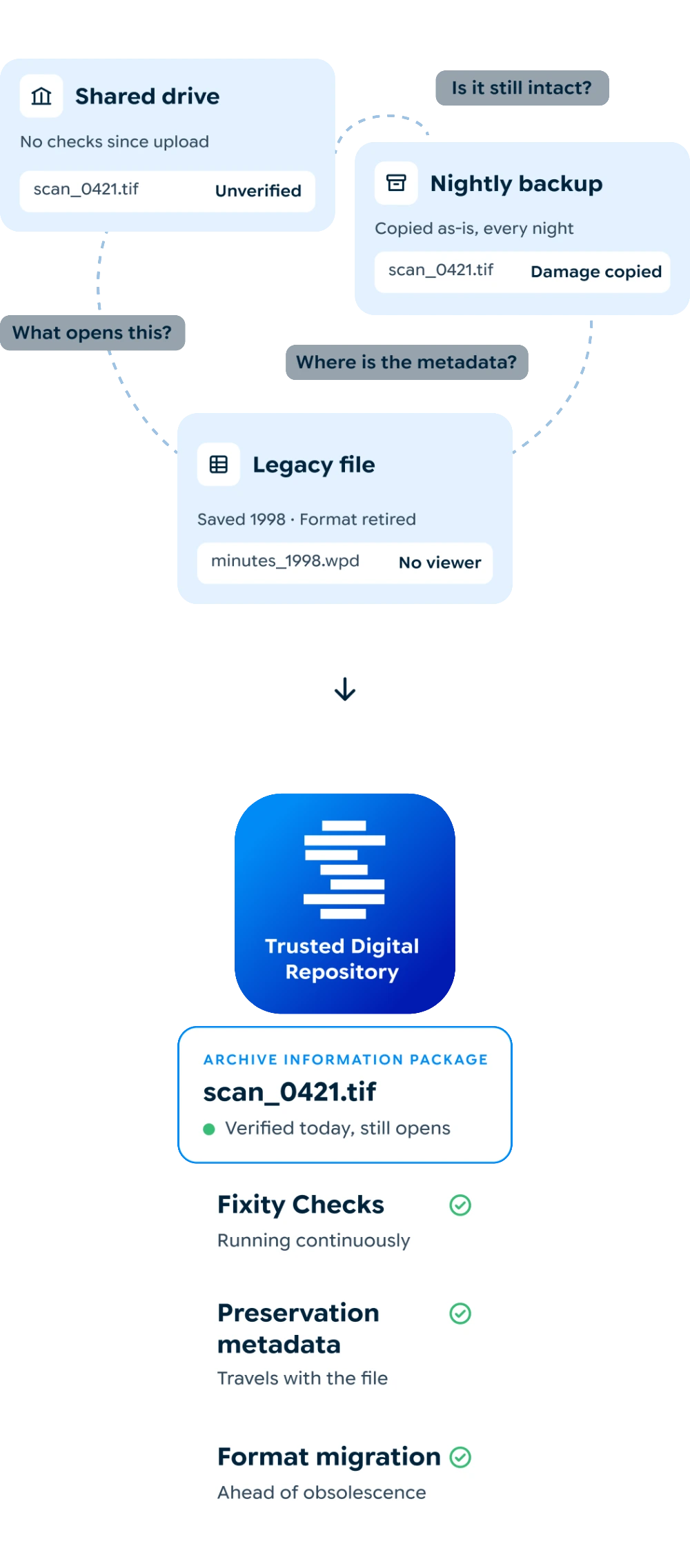
Unverified shared-drive files, backups copying damage forward and a legacy format with no viewer, replaced by an Archive Information Package with format migration and continuous fixity checks
Now

Simple database storage

Files sit untouched until someone tries to open them. No integrity verification, no migration plan, and metadata scattered across systems.

With Soutron

Files digitally preserved

Scheduled fixity checks run continuously, so formats can be migrated ahead of obsolescence, with metadata traveling with the file itself.

Why it fails silently

Three ways a digital collection quietly stops being safe

Format obsolescence icon
Format Obsolescence

The software retires before the file does

Files stay right where you left them. The software that opens them doesn’t. A format that was standard ten years ago can quietly become unreadable, with no warning.

Bit rot and media failure icon
Bit Rot & Media Failure

Damage that copies itself forward

Storage media degrades slowly and silently. A routine backup doesn’t catch the difference, it just copies the damage forward, file after file, backup after backup.

Lost integrity and context icon
Lost Integrity & Context

A file that looks right isn't proof it is

Without fixity checks and preservation metadata, there’s no way to demonstrate a file is still the one you accessioned, only a file that resembles it.

Our Trusted Digital Repository solution

Four steps, running continuously, not just at ingest

Preservation isn’t a one-time migration project. Trusted Digital Repository keeps checking, long after the file is safely in the repository.

Ingest and appraise icon
Step 1

Ingest and Appraise

Submit files to the repository. Each one is validated and characterized, with metadata extracted.

Fixity and integrity icon
Step 2

Fixity and Integrity

Checksum validation and ongoing fixity monitoring confirm nothing has changed or degraded, long after ingest.

Preserve and migrate icon
Step 3

Preserve and Migrate

Normalization settings identify obsolete formats ahead of time, without touching the original file.

Store and access icon
Step 4

Store and Access

Assets are packaged as OAIS-aligned Archive Information Packages and stay discoverable, in the cloud or on-premises, rather than locked away.

Our core Trusted Digital Repository solution

Digital preservation software that's always on

Every Trusted Digital Repository system includes these digital preservation functions:

Built for Ingest

Every file gets a record the moment it arrives

Nothing enters the repository unexamined. Each file submitted is validated, characterized, and metadata extracted on ingest, with content, provenance, and format detail captured together as an Archive Information Package.

→ Metadata extracted automatically, not added later by hand

→ Content, provenance, and format detail travel with the file, not around it

→ Nothing sits in the repository undocumented, even for a day

OAIS ingest running virus scan, validation, characterization and metadata extraction, packaging content and provenance into an Archive Information Package
Built for Integrity

Routine checksum validation that flags file damage

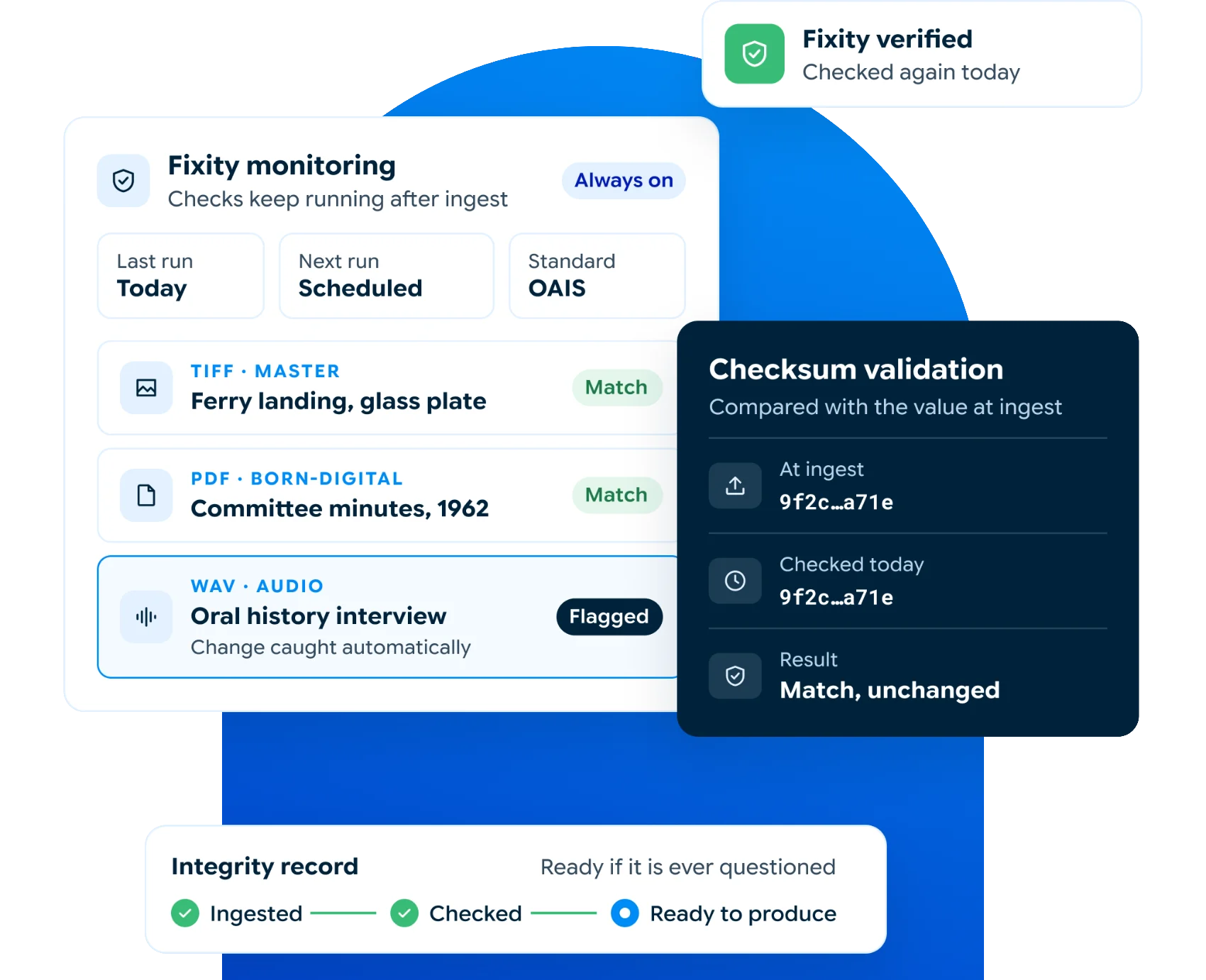
A file that opened fine last year isn’t proof it opens fine today. Ongoing fixity monitoring and checksum validation confirm nothing has changed or degraded, continuously, not just at the moment of ingest, aligned to the OAIS reference model.

→ Corruption gets caught automatically, long before a researcher finds it

→ Standards-aligned validation, not a one-off integrity scan

→ Every check adds to a record you can produce if a file’s authenticity is ever questioned

Fixity monitoring running after ingest to the OAIS standard, with checksums compared against the value at ingest and a changed file flagged automatically
Built for Longevity

Formats get migrated before they go obsolete, not after

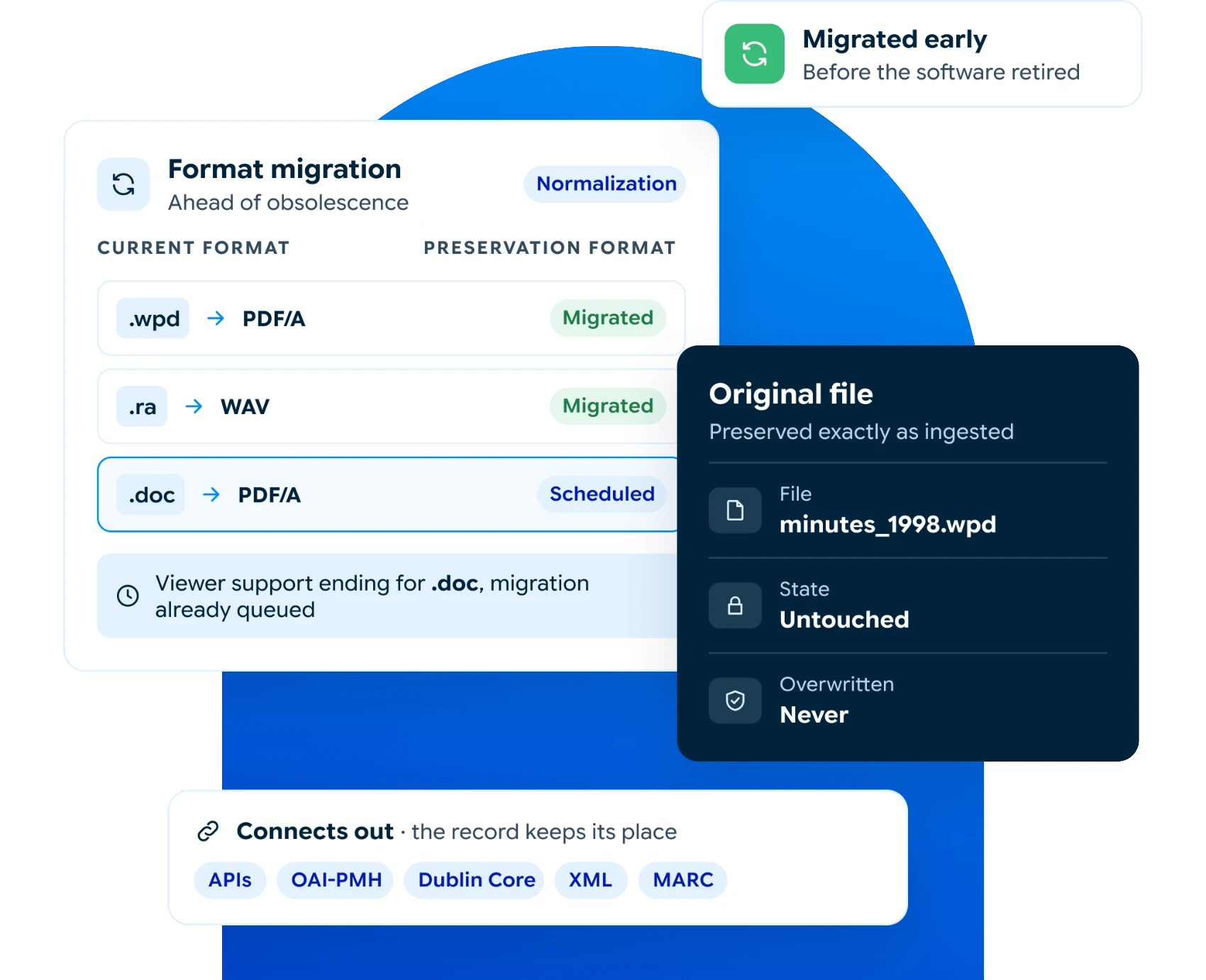
Adjustable normalization settings identify file formats to be converted to contemporary file formats to manage long-term digital asset preservation and prevent format obsolescence.

→ Original files are preserved exactly as ingested, never overwritten

→ Conversion happens ahead of obsolescence, not in a scramble after the fact

→ Connects to Soutron Archive, Cultural Asset Management, and more

Format migration normalizing .wpd, .ra and .doc files to PDF/A and WAV ahead of obsolescence, with the original file preserved untouched
Built for Access

Preserved doesn't mean locked away

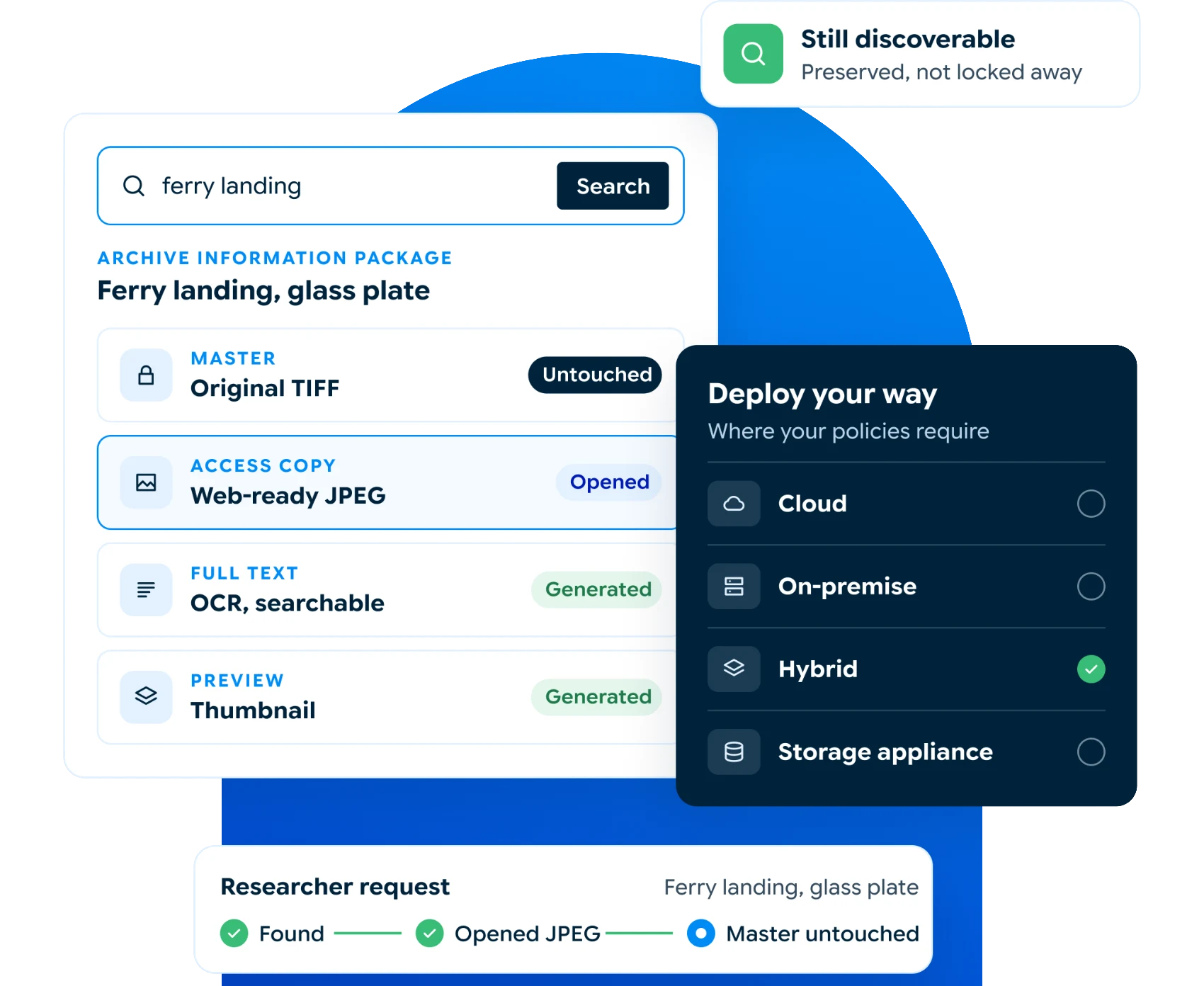
Assets are stored as OAIS-aligned Archive Information Packages, cloud, on-premise, or hybrid, including a dedicated storage appliance where security demands it. Preservation-grade derivatives, a JPEG generated from a TIFF, for instance, plus OCR and thumbnails, give people the version they’ll actually open.

→ Deploy the way your institution’s policies require

→ Digitally preserved assets stay searchable and access-ready

→ Open a usable derivative while the master file stays untouched

Preserved master TIFF with a web-ready JPEG access copy, searchable OCR text and thumbnail, deployable to cloud, on-premise or hybrid
Standards, Security & Deployment

Built to a standard your IT and compliance teams both recognize

Trusted Digital Repository is standards-based, plus on the security side:

OAIS-aligned Archive Information Packages

Content, provenance, and preservation metadata stored together, following the internationally recognized reference model for digital preservation.

Geo worldwide hosted

US, Canada, UK, and EU data centers. Residency follows your organization.

Timestamps for legal admissibility

Every preserved file keeps a timestamp record, so its authenticity holds up if it’s ever challenged.

Virus scanning on ingest

Every file is scanned before it enters the repository.

Cloud, on-premise, or hybrid

Deploy the way your institution’s policies require, including a dedicated storage appliance where security demands it.

Support and onboarding

Get a partnership, not just a platform

Get implementation, training, and everyday support with every system, plus a world-class support team ready when you need help.

Clock icon

Global Help Desk

Get around-the-clock coverage Monday to Friday, with a four-hour response commitment and most tickets answered in 20 to 30 minutes.

Person icon

Support Group

Connect with the team and other customers using the same modules. Hear about updates first, share what works, and shape what’s next.

Hand holding a heart icon

Fully Managed

Hand implementation to a delivery team that runs it end to end, from data migration to portal design. We do the heavy lifting so you get up and running quickly. 

Support headset icon

Training Built In

Train hands-on with every implementation.

Get onboarded with confidence

1

Kick-Off

2

Portal Design

3

Data Mapping & Migration

4

Hands-On Training

5

Hypercare

6

Ongoing Support

FAQs

The questions we get the most, answered here first.

What's the difference between a backup and digital preservation?

A backup will faithfully copy a file even after its format has become obsolete. Digital preservation actively checks integrity and migrates formats, so the file stays readable, not just present.

Trusted Digital Repository is a paid add-on that is worth the investment if an institution holds high-resolution digitized collection items it wants to keep long-term.

The original stays untouched. Trusted Digital Repository generates the version people actually open, such as converting TIFF to JPEG, plus OCR and thumbnail derivatives, while the original is preserved exactly as ingested.

Yes! Trusted Digital Repository can work with any system. You can purchase on its own, or as an add-on.

Yes. It connects to any system through APIs, OAI-PMH, Dublin Core, XML, and MARC. And through Soutron’s Cultural Asset Management, a migrated record can link directly to its file in the Trusted Digital Repository.

Cloud, on-premise, or hybrid, including a dedicated storage appliance where an institution’s own security policies require one.

Still have questions?

We’re here to help. Reach out to our team, and we’ll get back to you ASAP.

tdr i stars

Trusted with a digital collection that's been growing since 2019

“We’ve found Trusted Digital Repository Archives reliable, easy to search, and expandable.”

Nicola Avery

Digital Content & Development Manager

A Soutron user since 2019

tdr i tla logo
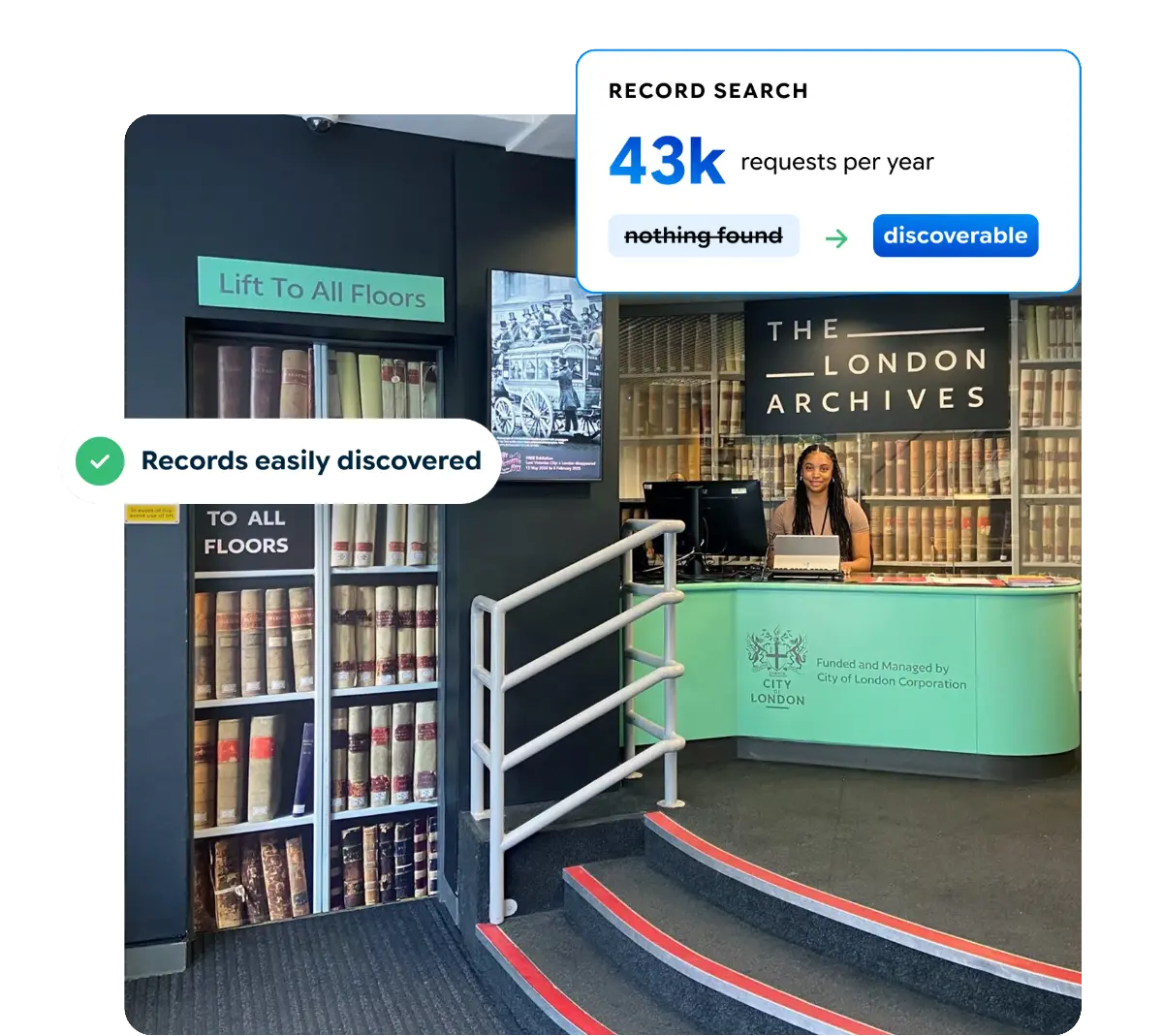
43,000

Archive research requests per year

120+

Archive research requests per day

london archives case study 1